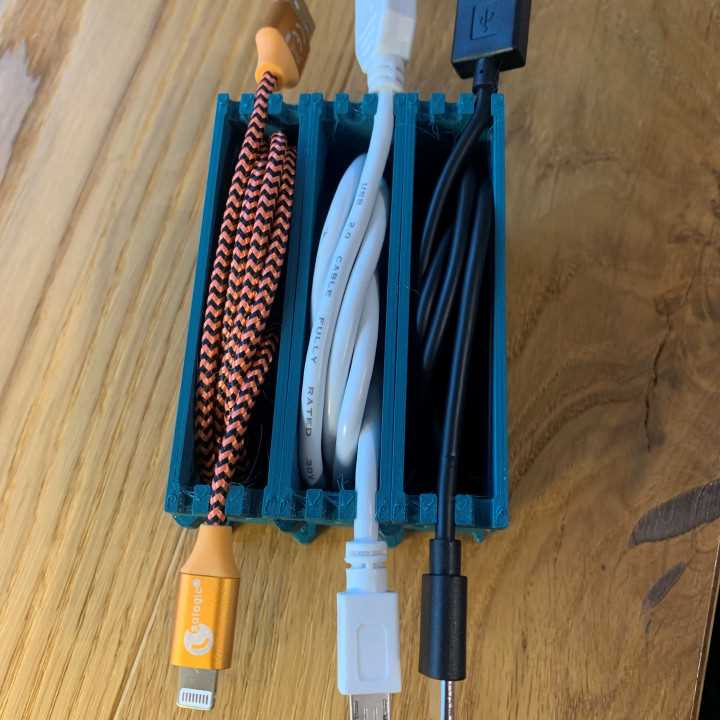
Design your own custom storage units to keep your cords and wires neatly arranged. Using a 3D printer, you can create tailored designs that suit your space and needs perfectly. Whether you’re dealing with phone chargers, earphones, or power cords, these storage units can help prevent the usual mess and clutter.
Tools like Tinkercad and Fusion 360 provide easy-to-use interfaces for creating designs that fit your specific setup. You can make compact holders that sit on your desk, wall-mounted racks, or even portable cases that can be carried with you. The possibilities are endless, depending on how you want to store or display your items.
To ensure durability and ease of use, select materials like PLA or ABS for your project. PLA is beginner-friendly and works well for light-duty uses, while ABS offers greater strength for heavier items. Choose the material based on the type of items you’ll be storing, and make sure your design accounts for the specific dimensions of the objects.
3D Printable Storage Solutions for Neatly Arranging Wires
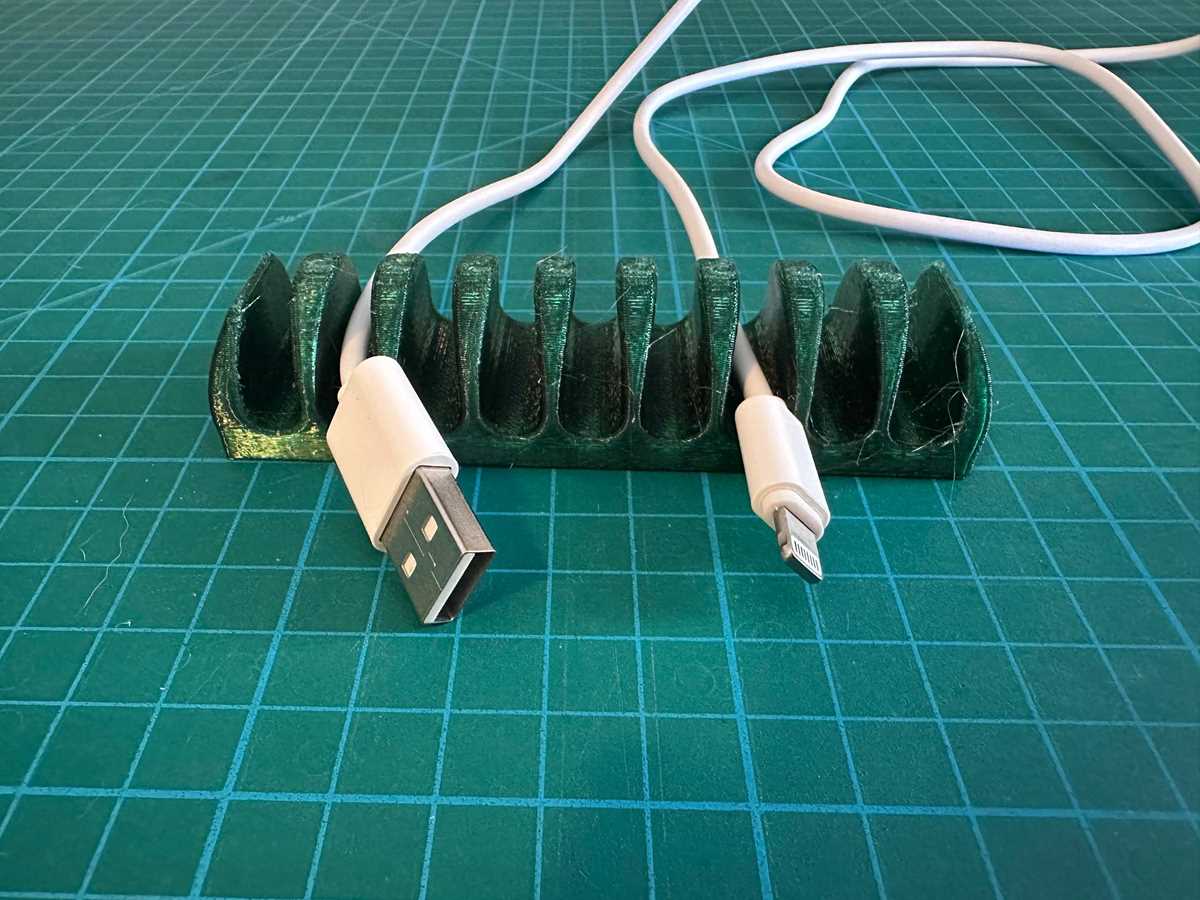
Start by measuring the size of the items you need to store. Whether you’re organizing USB chargers, audio cords, or power strips, taking accurate measurements ensures that the compartments or holders fit properly. For small accessories, compact designs will save space, while larger setups may require adjustable or modular designs.
Use design software like Tinkercad to create models tailored to your needs. It’s a user-friendly tool perfect for beginners. You can start with simple shapes and build complexity as you become more comfortable. Add features such as slots for easy access or hooks for hanging to enhance your design.
Consider modular systems that allow you to customize your storage as you grow your collection of cords. With interchangeable parts, you can easily add more compartments as needed. This flexibility ensures your storage solution can evolve with your needs over time.
When choosing materials, PLA is ideal for most basic projects, but ABS or PETG are better suited for heavier items or high-durability needs. PETG is especially good for items exposed to heat or frequent movement, as it offers better impact resistance and flexibility compared to PLA.
For more advanced designs, experiment with customizable features like cable clips or cable ties integrated into the structure. These features allow you to keep your wires in place and prevent them from slipping out of their compartments. You can design unique slots or guide paths that keep cables in neat lines, reducing tangling.
Once your design is ready, use your 3D printer to bring it to life. Ensure that your printer’s bed is properly calibrated and that you’re using the correct settings for the material you’ve selected. Start with a small test print to check the accuracy of your design before printing the final version.
If you don’t own a 3D printer, many online services offer printing for a fee. Websites like Shapeways or local print shops can print your designs and send them to you. This is a great option if you need a high-quality finish or don’t have access to a 3D printer at home.
How to Design a Customizable Storage Solution for 3D Printing
Start by determining the dimensions of the items you need to store. Measure the length, width, and height of your wires or accessories to ensure a snug fit in the design. Be specific about the number of items you plan to store and whether you want compartments for individual objects or a more open structure for flexible use.
Next, choose a design platform like Tinkercad or Fusion 360. These programs offer basic and advanced features, allowing you to create a highly tailored solution. Start with simple shapes like rectangles or cylinders and modify them to create slots or compartments. You can also add features like clips, hooks, or hooks for a more functional design.
Consider making your design modular. This allows you to add or remove sections based on your storage needs. Modular systems are great for expanding the structure as your collection of items grows, giving you more flexibility over time. Add interlocking features like pegs or slots to make connecting modules easier.
For better usability, incorporate cable management features directly into the design. For example, include grooves, loops, or clips to help secure items in place. These features help prevent the items from slipping out and ensure they stay neatly arranged. Make sure the design includes a way to access items quickly without excessive effort.
Be mindful of the material you plan to use for printing. PLA is a common choice for beginners due to its ease of use, but for a more durable product, consider ABS or PETG. These materials offer greater strength and resilience, making them suitable for items that are used frequently or exposed to heat.
When finalizing your design, take into account the structure’s ease of assembly. For larger designs, use fewer parts or create sections that easily snap together. Avoid overly complex joints that may be difficult to align and assemble. A well-planned design will save you time and effort during the printing and building process.
Once your model is ready, export it as an STL file and prepare it for printing. Make sure your printer is properly calibrated and that you are using the correct settings for your chosen material. Test print a smaller version of your design to check the fit and functionality before committing to a full print.
If you don’t have access to a 3D printer, consider using online services like Shapeways or a local print shop. These services allow you to upload your design, choose your material, and have the item printed and shipped to you. This is an easy way to get a high-quality result without the need for a personal 3D printer.