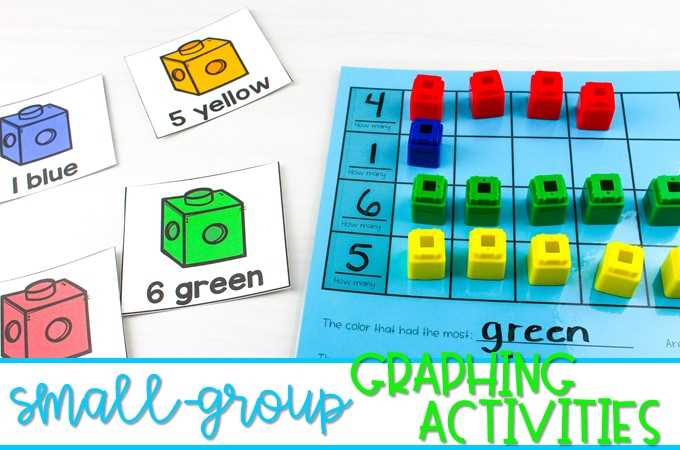
Introducing young children to basic data representation can be done with fun and interactive resources. By using simple charts and visual aids, children can begin understanding how to organize and interpret information. These tools can help them see patterns and make connections, which enhances their early math skills.
When selecting activities to help with data collection, choose materials that use familiar themes such as animals, colors, or shapes. Activities like sorting objects, counting them, and recording results on a visual display provide a hands-on approach to learning.
Incorporate these resources into daily classroom routines or at-home activities to build skills in a natural setting. With consistent practice, children will develop a foundational understanding of how to group, compare, and display information, setting them up for future success in math.
How to Use Visual Tools to Teach Early Learners Basic Data Organization Skills
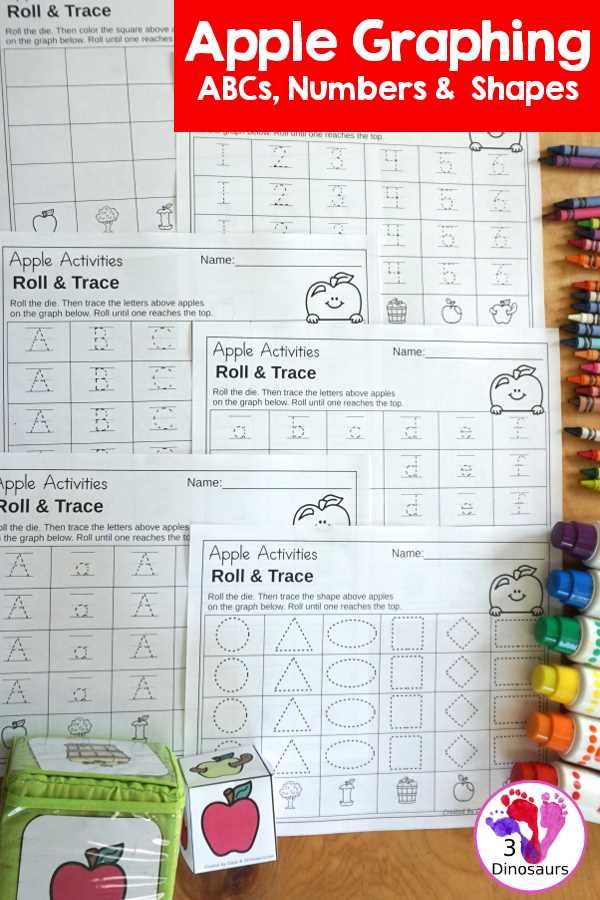
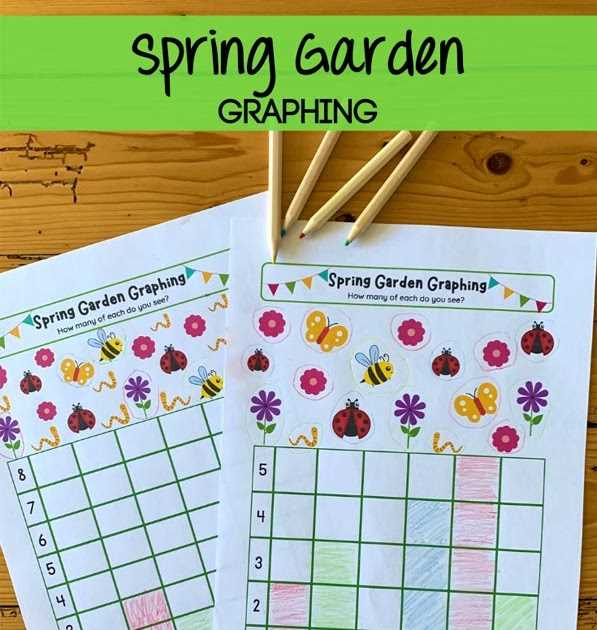
Start by introducing simple charts that display everyday items such as fruits, animals, or colors. Ask children to count and record the number of objects in each category. Provide a clear visual layout where they can place markers or stickers next to each group to represent the data. This will help them see how to organize information in an intuitive and concrete way.
Next, guide them through the process of interpreting the charts. Use questions like, “Which group has the most?” or “How many more apples are there than bananas?” These prompts encourage children to analyze the data, compare quantities, and make observations. Gradually introduce different types of visuals, such as bar charts or pictographs, to help them develop a deeper understanding of data presentation.
Top Types of Visual Tools for Early Learners
Bar charts are a simple yet powerful tool to help young learners organize and compare data. You can use items such as colored blocks or stickers to represent different categories, allowing children to count and visualize the data easily. For example, ask them to count the number of red, blue, and yellow blocks, and place them in corresponding columns to visually display the information. This method encourages children to understand quantities and basic comparisons.
Pictographs can also be very effective. By using symbols or pictures to represent items, children are introduced to the concept of data representation in a fun and visual way. For instance, a picture of a dog can represent one pet, and children can place multiple dog pictures to represent the total count. This visual approach helps them connect counting with real-world objects and makes learning enjoyable.
Another useful tool is a pie chart. Though simplified, these charts introduce children to the concept of parts of a whole. By dividing the chart into different colored sections, you can show how different groups make up a larger set. This is particularly helpful for showing percentages in an intuitive manner. For example, divide a pie chart into sections based on the number of pets children have, allowing them to visually see the distribution.
Venn diagrams are excellent for teaching kids how to compare and contrast groups. By drawing two or more overlapping circles, children can visually understand the similarities and differences between different categories. For example, you can compare pets and wild animals, with shared characteristics like “has four legs” placed in the overlapping section. This method encourages logical thinking and categorization.
Sorting grids or tables are ideal for helping children organize objects based on certain attributes. This tool allows them to group items by size, color, shape, or type. For example, a sorting chart could ask them to categorize shapes such as circles, squares, and triangles. By placing each shape into a corresponding column, children practice classification while also developing their organizational skills.
| Type | Key Feature | Best For |
|---|---|---|
| Bar Chart | Visual comparison using bars | Counting, comparing quantities |
| Pictograph | Symbols or pictures to represent data | Basic data representation, fun learning |
| Pie Chart | Simplified sections for parts of a whole | Showing proportions or distributions |
| Venn Diagram | Overlapping circles for comparison | Comparing categories, logical thinking |
| Sorting Table | Organizing items into categories | Classification, organization skills |