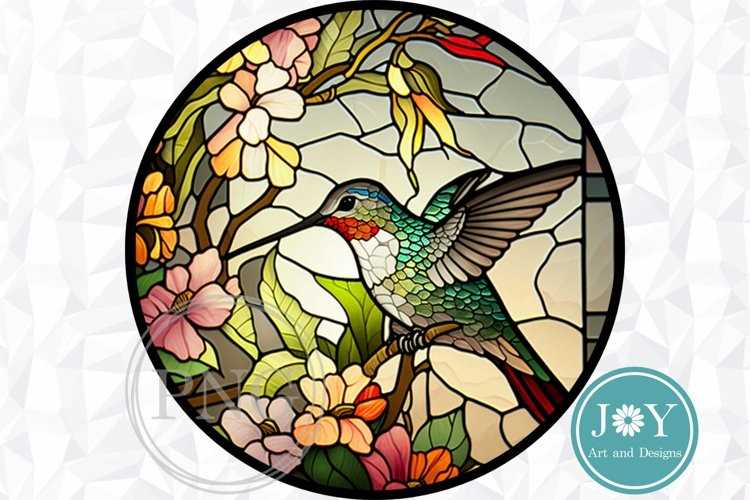
To get started, select a design that matches your skill level. For beginners, choose simpler outlines with fewer intricate details. These designs will be easier to follow, making your project more enjoyable and less overwhelming. For experienced artists, try templates with more complex shapes and patterns to challenge your skills and create a stunning result.
Once you’ve selected a template, ensure you have all the necessary materials before beginning. A good quality cutting tool, adhesive, and a surface for tracing will help streamline your process. You’ll also want to use a sturdy paper or cardstock to transfer the design onto your chosen medium.
After printing and preparing your template, consider experimenting with color combinations. Vibrant tones will bring your creation to life, while more muted shades can add a serene, elegant touch. Think about how light will interact with the colors you choose to highlight different areas of the design, especially if you’re incorporating transparent or semi-transparent elements.
How to Use Printable Templates for Hummingbird Art
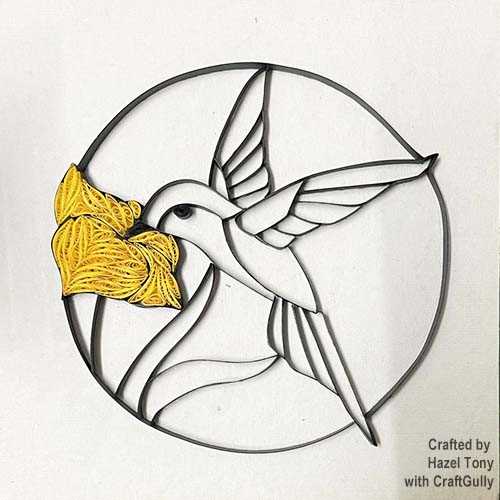
Start by selecting a template that fits your project size. Ensure the dimensions of the design align with the materials you plan to use, whether it’s a window frame, lamp, or decorative panel. Many designs come in standard sizes, but you can always adjust them by resizing the image in editing software before printing.
Once you’ve chosen a template, print it onto sturdy paper or transfer paper. This will make it easier to trace or cut out the design without it tearing or shifting. If you’re using a digital design, make sure to calibrate your printer for accurate colors and sharp edges.
Next, prepare the materials you’ll use to fill in the design. For a traditional look, choose materials that mimic the light-transmitting qualities of real panes, such as colored film or translucent plastic sheets. These materials should be cut to fit within the outlined sections of the template.
Carefully trace the design onto your medium of choice. If you’re working with a translucent material, use a fine marker to outline the sections of the pattern. If you’re working on paper or a rigid surface, you can use a pencil or light graphite to sketch the lines first.
Once the outline is complete, begin cutting and fitting the pieces together. For accuracy, cut each segment slightly larger than the template and trim to fit once it’s in place. Using a sharp blade or scissors will ensure clean edges and a more polished finished product.
After fitting all the pieces into place, secure them with an adhesive suitable for your chosen material. For transparent sections, use a clear glue that won’t obscure the design or affect the light filtering through. A hot glue gun is a good option for stronger adhesion if you’re working with heavier materials.
As you proceed, consider adding decorative elements such as beads, rhinestones, or metallic accents to enhance the overall aesthetic. These small details can bring the design to life and add texture to the finished piece.
Once everything is in place and dry, assess the finished project for any areas that might need adjustments. Ensure that all sections are securely attached, and check that the colors are evenly distributed across the design. Your piece is now ready for display, whether it’s for a home accent or as a gift for someone special.
How to Download and Print Hummingbird Designs for Your Project
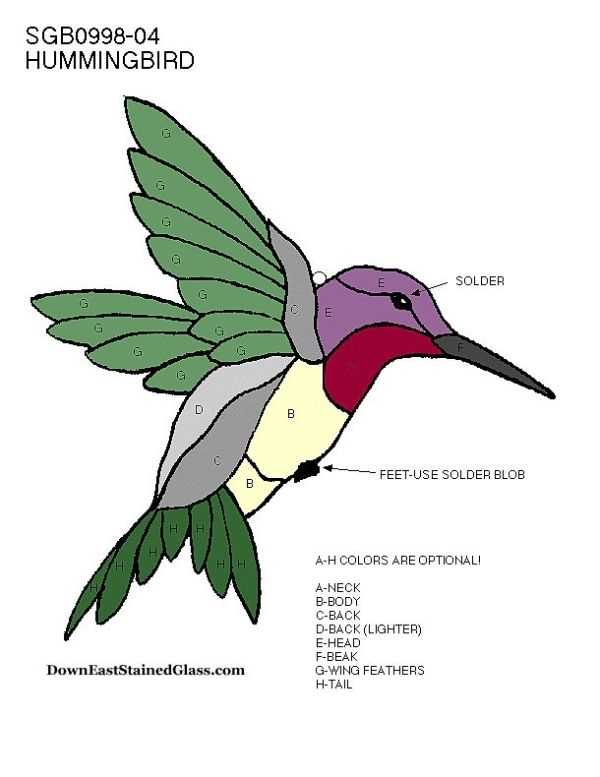
Begin by finding a reliable website that offers high-quality designs for crafting. Make sure the site provides downloadable files in common formats such as PDF, PNG, or JPG. Avoid low-resolution images, as they can affect the accuracy and quality of your final work.
Once you’ve found a suitable design, click the download button and select your preferred file format. It’s best to choose a file type that maintains the sharpness of the lines, such as PDF, for precise cutting or tracing.
Before printing, check the image size. Adjust the dimensions if needed, either through your computer’s settings or by scaling the design in a photo-editing tool. Keep in mind that printing smaller than the original might make the design difficult to work with, while larger sizes might require more space and material.
For optimal print quality, ensure your printer settings are configured correctly. Select the highest resolution available to capture all the fine details. Additionally, choose a paper type suitable for your project, such as thick cardstock, to prevent any damage during the cutting or tracing process.
After printing the design, examine it closely. Make sure the lines are crisp and clear, with no blurring or fading. If the print quality seems off, it may be worth trying a different printer or adjusting the settings before starting your project.
If you need to create multiple copies, repeat the download process, ensuring you save each design in a different folder to avoid confusion. This is especially helpful if you plan to make variations of the original design.
Once you’ve printed the design, cut it out carefully along the lines. Use a sharp cutting tool to ensure clean edges. If you’re tracing the image onto another medium, use a light source or a tracing tool to ensure that the details are accurately transferred.
Lastly, store your printed designs safely for future use. Keep the templates in a folder or binder to avoid damage, and label them clearly for easy access. This will allow you to reuse the designs for different projects over time.