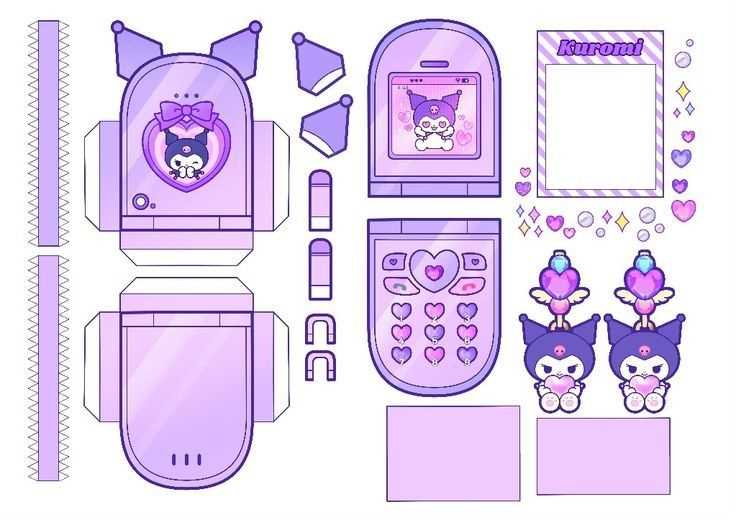
Begin by selecting a design that suits your creative needs, ensuring it’s easy to print and assemble. Opt for clean outlines and well-defined details for crisp results in your finished piece. Adjust the scale to match the size of the final product, whether it’s for small decorations or larger, more intricate designs.
For a professional finish: Use heavier cardstock or textured materials to print your designs. This will make your projects more durable and provide a more refined look, whether you’re creating wall hangings or fun accessories.
Customize your design: Add personal touches by incorporating your favorite colors, patterns, or textures. This can make each piece uniquely yours. Experiment with embellishments like glitter, buttons, or ribbons to enhance the overall effect and make your project stand out.
Once you have printed and cut out the shapes, take your time to assemble them carefully, paying attention to details. The more patience you have during assembly, the better the final result will be.
Character-Themed DIY Ideas and Templates
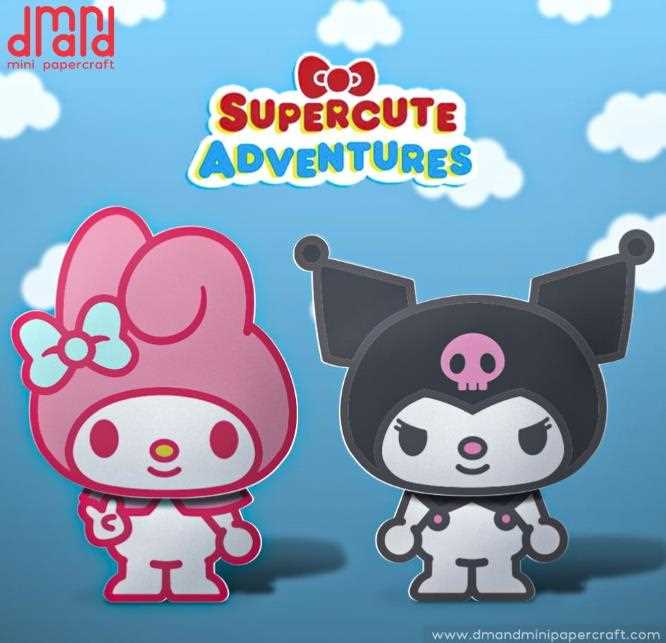
Start with a design that incorporates bold outlines and fun details. Select templates that can easily be adjusted in size, allowing you to create different types of projects, from greeting cards to larger decorative pieces.
Fun Greeting Cards: Create unique greeting cards featuring your favorite characters. Simply print the template, cut it out, and attach it to a sturdy card base. Use markers or colored pencils to add personal touches, such as custom text or extra embellishments like stickers or glitter.
Wall Decor: Larger designs can be used to create unique posters or framed artwork. Print the design at a bigger scale, cut the shapes carefully, and frame them to add a personalized touch to any room. Try combining multiple templates to create a collage of different designs for an eye-catching display.
Party Decorations: These designs also work perfectly as fun party decorations. Cut out the shapes and attach them to sticks to create custom cake toppers or use them as hanging decorations. The versatility of these templates makes them ideal for themed parties, whether it’s for a birthday or a special celebration.
Gift Wrap Accents: Use your design to add a creative element to gift wrapping. Print the template, cut it out, and use it as a decorative tag or embellishment for your gift wrap. This small detail will make your gifts stand out and show extra thoughtfulness in your presentation.
Custom Notebooks or Journals: Personalize a notebook or journal with printed templates. Glue or tape the designs to the cover, and feel free to add additional patterns, words, or illustrations to make it even more unique. This works particularly well for making personalized gifts or for your own use.
Bookmarks: For a practical yet decorative idea, print out smaller templates and laminate them to create durable bookmarks. These can be gifted or used as a fun, functional item in your own reading materials.
With endless possibilities, these templates offer a creative outlet for adding personality and flair to a variety of projects. Whether you’re making something for yourself or as a gift, the designs can be customized to fit any occasion or personal style.
How to Download and Print Kuromi Craft Templates
Begin by finding a reliable website or online resource that offers the design templates you want. Search for sites with a user-friendly interface and ensure they provide high-quality files in a compatible format, such as PDF or PNG, for easy printing.
Download the Template: Once you’ve selected the design, click the download button or link. Make sure the file is complete and free from any errors during the download process. Save it to a specific folder on your computer for easy access later.
Check the File Format: Ensure that the downloaded file is in the correct format for your printing needs. If the template is in a zip file, extract it first. Most designs will come in PDF or PNG format, which can be opened with standard software such as Adobe Reader or an image viewer.
Printing Instructions: After opening the file, check the print settings. Adjust the print size if necessary, especially if you want to scale the template. Select the highest print quality to ensure that all details and lines appear clearly. If you’re printing multiple designs, ensure you choose the appropriate number of copies.
Cut and Assemble: After printing the template, carefully cut out the pieces using scissors or a craft knife for precision. Follow any instructions on the template for assembly, and if necessary, use glue or tape to attach the different parts. This step requires patience to get clean, accurate edges for a polished final result.