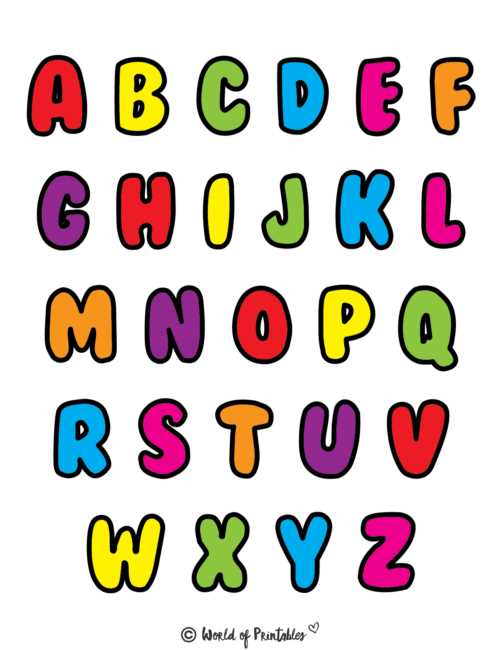
To create custom designs with large text for crafts or educational projects, start by selecting a suitable font and adjusting the dimensions to fit your preferred page format. For easy printing, make sure the text fits well within the page margins, and use a grid or ruler to ensure consistent spacing.
For clear, crisp results, use high-quality paper, such as cardstock or thick printing paper, which can handle the ink without bleeding or wrinkling. If you’re using colored designs, adjust the saturation and contrast settings on your printer to get vibrant hues that stand out against the background.
Once your design is ready, print multiple copies for your project to ensure you have enough letters for the entire word or phrase. If you need the text to appear more durable, consider laminating the printed designs before cutting them out, which will add strength and longevity to your work.
Whether you’re creating custom signage, decorations, or educational materials, these templates can be adapted to suit various themes. By experimenting with fonts, colors, and textures, you can personalize the final product to match your vision.
A4 Size Printable Text Designs for Crafting
For projects requiring large, clear text, select a bold font that will be easy to read from a distance. Fonts like Arial, Impact, or Comic Sans are often good choices due to their simple lines and high visibility. Set the font size large enough to fill the page without becoming distorted when printed.
Adjust your printer settings to match the dimensions of the paper you are using. Ensure your design fits well within the printable area of the page, leaving enough margin space on all sides to prevent cutting off any edges. Many design programs allow you to customize margins and alignments to make this process easier.
Consider the purpose of your project when selecting the type of paper to use. Heavier paper, such as cardstock or glossy sheets, is ideal for creating decorations, signs, or posters that need durability. Lighter paper can work for temporary designs like classroom activities or one-time event signage.
For color printing, ensure your printer’s ink cartridges are full and set your color profile to produce vibrant hues. If you’re printing multiple pages with the same text, printing in batches can save you time. Double-check the colors on the screen before printing to avoid discrepancies between the digital design and the physical printout.
After printing, you may want to cut out individual characters for various uses. Use a paper cutter for straight edges or scissors for more intricate designs. If the project involves displaying the text in an outdoor environment, consider laminating or coating the printed material to protect it from wear and tear.
Finally, if you are creating a long phrase or several words, ensure that the spacing between characters is consistent. This can be done in the design phase by adjusting kerning and leading in your software to create a uniform and aesthetically pleasing result. This step will prevent awkward gaps and help the final product look polished.
How to Design and Customize A4 Text Templates
Start by choosing a graphic design program, such as Adobe Illustrator or free alternatives like GIMP or Canva. Set your document dimensions to match A4 paper and ensure that the text will fit comfortably within the margins of the page. You can adjust the text size based on the amount of space you need for each character.
Next, select the font style that aligns with your design. Bold fonts work well for creating attention-grabbing designs, while serif fonts offer a more formal appearance. You can also explore decorative or handwritten fonts for a more personalized touch. Adjust the spacing between characters (kerning) and between lines (leading) for a more polished look.
If you want to further personalize your text, experiment with colors, gradients, or shadows to add depth and interest. You can use bright, contrasting colors for a more playful design or muted tones for a more sophisticated look. Texture effects can also be applied to give your design a unique finish, especially when used for posters or event signage.
Once your design is ready, save the file in a high-resolution format such as PNG or PDF to ensure quality when printing. If necessary, print a test sheet to check how the design appears on paper. Adjust any elements, like text alignment or color settings, before proceeding with the final print.