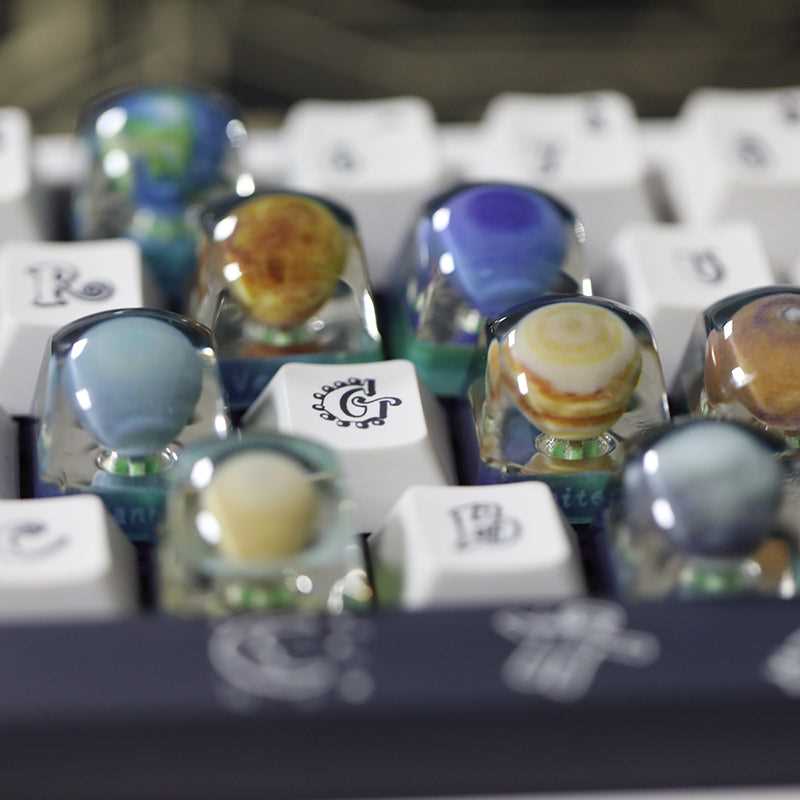
Start by choosing a design that matches your preferences for both aesthetics and functionality. There are a wide variety of models available online, and you can find everything from sleek minimalist options to more intricate and unique shapes. Make sure to select one that suits the layout and feel you want for your typing experience.
Material selection: The material used for printing plays a significant role in durability and texture. Consider using filament such as PLA or ABS for a sturdy finish, or TPU for a softer, more flexible feel. The choice of material affects not just the tactile experience, but also the longevity of the final product.
Printer settings: Adjust your 3D printer’s settings to the optimal resolution for the design you want. Higher resolution settings ensure finer details and smoother surfaces. Keep in mind that printing at a lower resolution may result in rougher edges or less accurate details, so it’s important to find a balance.
After downloading the design file, ensure your printer is set up properly, especially the bed leveling and temperature settings. These adjustments are key to a clean, precise output that aligns with your expectations.
If you need to resize or tweak the design to fit your keyboard, use 3D modeling software. It allows you to adjust dimensions or customize certain elements, like height or shape, ensuring a perfect fit.
Once your custom pieces are printed, inspect them for any imperfections. If necessary, you can smooth the edges using fine sandpaper or a polishing tool. This ensures that the final result is not only functional but also visually appealing.
Assembly: Once printed, the next step is to carefully attach each piece to the keyboard. Depending on the mechanism, you may need additional tools like key pullers to remove existing pieces. After installation, test the feel of the new pieces to ensure they’re comfortable and responsive to touch.
Customizing Your Keyboard with 3D Printed Tops
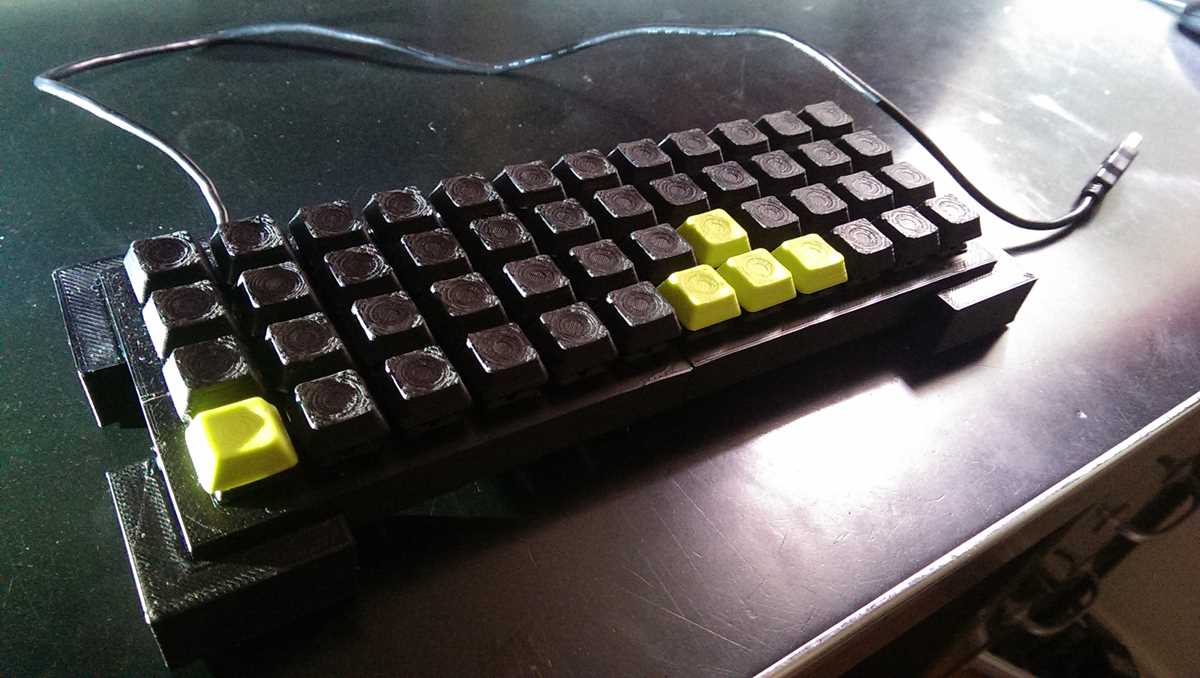
To start creating your own unique keyboard pieces, choose a design that fits your preferred style and the shape of your keyboard. You can either find pre-made designs or create your own using 3D modeling software. There are many online platforms that offer free and paid designs, often with a wide range of themes from minimalistic to artistic. Ensure the design is compatible with the layout of your keys to guarantee a proper fit.
Once you’ve selected the design, focus on the material. PLA is a popular choice for its ease of use and durability, but ABS offers more strength and heat resistance. If you prefer a softer feel, consider TPU, which gives a more rubber-like texture. Adjust your 3D printer settings to the highest resolution possible for a smooth surface and accurate details. After printing, check the pieces for rough edges and use fine sandpaper or a polishing tool for a smooth, professional finish.
How to Choose the Right Design for Custom Keycaps
Start by determining the shape and profile of your custom pieces. Key layouts vary, so make sure the design matches your keyboard’s configuration. For example, if you use a standard layout with a full-sized keyboard, choose designs that suit the standard key sizes and placements. For a more ergonomic or custom build, consider designs that complement your unique layout.
Next, think about the texture and material. Smooth, glossy finishes are great for a sleek, modern look, while matte textures provide better grip. Some people prefer a textured surface for tactile feedback, so decide what feels most comfortable for you. The material you choose will impact both durability and feel, so choose based on your typing habits and personal preference.
The thickness of the design is another important factor. Thicker pieces may provide more durability, but can feel bulkier. Lighter designs might not be as strong but can offer a more precise feel. Ensure the weight of the custom pieces aligns with the type of usage you expect, whether it’s casual typing or more intensive gaming.
Design complexity also matters. If you’re going for a unique, detailed look, intricate patterns and shapes might appeal to you. However, remember that complex designs can sometimes lead to printing issues, such as difficulty in fine details or misalignment. Simpler designs are often easier to print with consistent results.
Look for designs that align with your aesthetic preferences. Whether you like minimalistic styles, retro themes, or custom artwork, ensure that the visual elements of the design resonate with you. Personalization can go beyond the surface texture and shape, so think about adding colors or patterns that match your keyboard’s overall design.
Finally, check the compatibility of your 3D printer with the design. Some designs may require high-resolution printing or special settings. Ensure that your printer supports the necessary settings for optimal quality. If you’re working with a more advanced model, you can experiment with more detailed and intricate designs.