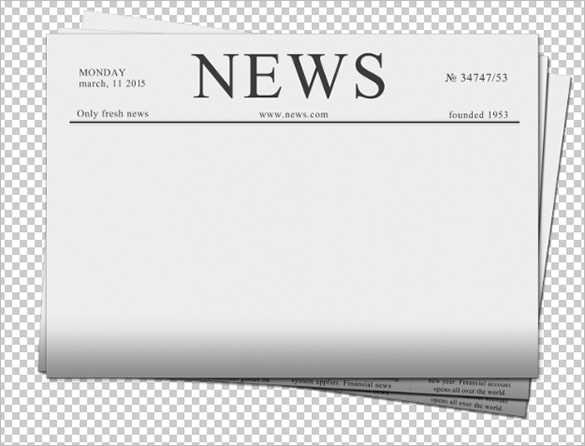
Select a layout that fits your specific project. Choose from various pre-designed structures that offer flexibility for text, images, and headlines. Popular options include grids with defined columns or simpler formats for more artistic freedom. Ensure your layout aligns with the overall theme, whether it’s formal or creative.
After choosing the right structure, focus on organizing the sections efficiently. Prioritize the most important information at the top of each page, and leave enough space for clear headlines and visuals. Consider the balance between text and images to maintain readability while still capturing attention.
Once your design is set, ensure the final product is print-ready by checking the dimensions and margins. This step ensures no content is cut off during the printing process. Test your layout on a sample sheet before committing to a large batch for the best results.
How to Design a Custom Layout for Your Printed Publication
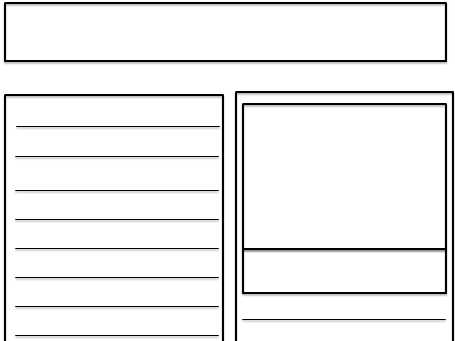
First, decide on the format that best suits your project. If you’re aiming for a traditional look, a classic grid layout with multiple columns will work well. For a more creative design, consider a single-column layout or one with asymmetrical spacing to make it stand out.
Use margin and padding settings to create enough space between elements. This will keep the design from feeling too cramped. Ensure that text and images are not too close to the edges, as this could interfere with the printing process.
Pay close attention to the choice of fonts. Choose clean, legible fonts for body text and a more decorative option for headlines. Consistency in font style across the document will help maintain a professional appearance while still allowing for creativity.
Consider dividing your content into sections, such as news, entertainment, and opinion. This helps organize the information clearly and allows readers to easily navigate through the publication. Use larger headlines for each section to create a clear distinction between them.
Incorporate space for images and graphics. Use high-quality pictures that match the tone of the content, whether they are for illustrations, infographics, or advertisements. Make sure the resolution is high enough to ensure they print clearly and do not appear pixelated.
If your design includes advertisements, make sure they are strategically placed. Use margins and borders to separate them from the main content, ensuring they are noticeable but not disruptive. You can also use banners or sidebars for extra attention-grabbing space.
Once your layout is complete, preview your design to ensure everything is aligned properly. This step will help you catch any misaligned elements or issues that might arise during printing. It’s always a good idea to print a test page before finalizing the entire batch.
Lastly, double-check the dimensions of the layout to make sure it fits your intended paper size. Adjust the content layout as needed to avoid any content being cut off during the printing process. A few adjustments before printing can save time and frustration later.
How to Choose the Right Layout for Your Publication
Start by deciding on the number of columns. For a traditional look, opt for a two- or three-column layout. If you need more room for large images or extensive text, choose fewer columns, such as a single-column format.
Consider your audience when selecting the design. If the content is primarily textual, a more structured grid layout with clear divisions between articles will help maintain readability. If your project is visually driven, a more flexible layout with bigger spaces for images can enhance the overall appeal.
Leave sufficient white space between sections and columns. This improves legibility and prevents the content from feeling crowded. Margins should also be wide enough to ensure nothing gets cut off during printing.
Test different combinations of text and visual elements to see how well they work together in your chosen layout. Ensure that the design doesn’t overpower the content and allows for easy navigation across pages. Small adjustments in column width or font size can make a significant impact on the final result.