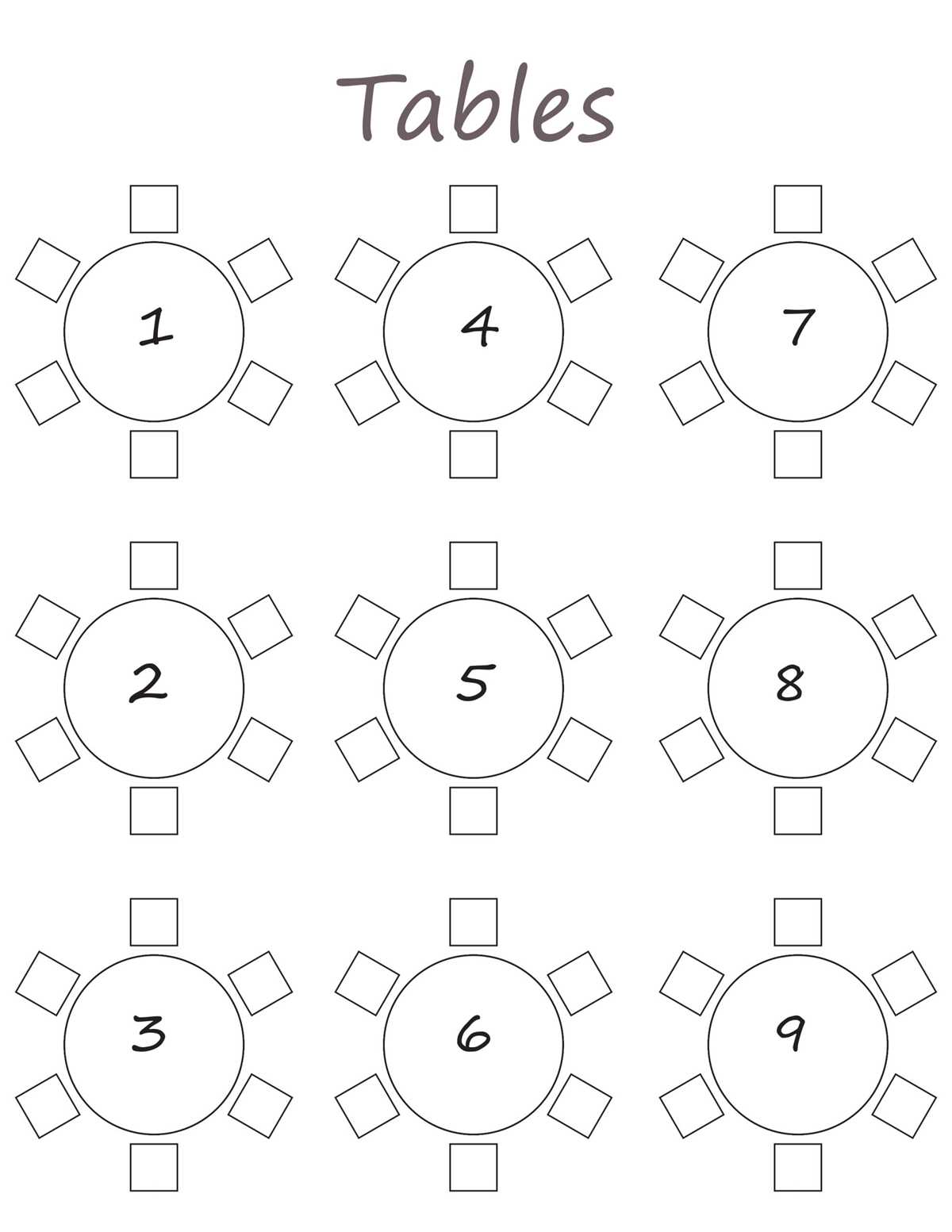
For smooth and stress-free event planning, organizing where guests will sit is crucial. Using a well-designed layout can help ensure your event runs smoothly and everyone enjoys their time. Start by selecting a seating arrangement that suits the type and size of your gathering, whether it’s a formal dinner or a casual reception.
To begin, make sure you have a clear list of all the attendees. Once you’ve confirmed who’s coming, consider groupings based on preferences or relationships. For example, you might want to seat family members together or place business associates in separate areas. This allows you to personalize the seating experience and minimize awkward situations.
Next, print out a suitable seating arrangement and adjust it based on your venue’s size. If you’re hosting a large group, make sure the layout is easy to read and offers flexibility. You can also enhance the visual appeal by adding colors or custom labels that fit the theme of your event. This approach not only organizes the seating but also adds a touch of personalization.
How to Create a Custom Event Layout
Start by determining the total number of guests attending and the space available. Consider the flow of the event and how many people can comfortably sit in each area. For formal events, opt for a structured layout with clearly defined rows or tables. For more casual settings, open seating or circular groupings can encourage mingling and a relaxed atmosphere.
Once you know the space and number of guests, sketch the arrangement on paper or using a digital tool like Microsoft Word or Google Drawings. Label each section clearly to avoid confusion, and group individuals or families together in a way that makes sense for the event. You may want to create a visual guide that indicates the table or seating section where each guest should go, helping you stay organized on the day of the event.
After designing the layout, print out your plan and place it in a visible spot at the venue. A printed copy will help guests quickly find their designated spot without unnecessary confusion. If the event is large, consider placing smaller copies of the plan near entry points or along the aisles to guide guests.
How to Choose the Right Seating Plan for Your Event
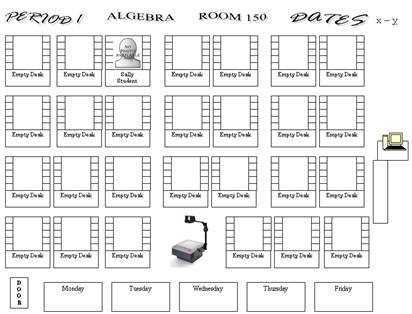
Start by identifying the type of event you’re organizing. A formal dinner will require a more structured layout, such as rows or tables, while a casual gathering might benefit from a more flexible, free-flowing arrangement. Knowing your event style will help you select a design that best fits the mood and structure of the gathering.
Next, consider the number of attendees and the size of your venue. For larger events, opt for a layout that maximizes the space and allows for easy movement. If the guest list is smaller, a more intimate setup like circular seating or grouped tables may be more suitable, offering a relaxed and comfortable atmosphere.
Think about the relationships between your guests. If certain people should be seated together or apart, choose a layout that makes it easy to organize them. Some plans allow you to customize specific seats for individuals or groups, which can help prevent awkward interactions and encourage smooth socializing.
The complexity of the seating plan is also a factor. If your event includes multiple tables or rooms, a detailed, multi-page layout might be necessary to keep track of where each guest will be sitting. For smaller gatherings, a simple visual guide may suffice, making it easier for guests to find their spots quickly.
Consider the design of the seating plan itself. Choose a layout that visually represents the space and complements the overall theme of the event. You can add colors, logos, or other personalized elements to make it more visually appealing and cohesive with your decor. A well-designed layout enhances the overall guest experience.
For digital events, an interactive seating plan might be necessary, especially if guests are participating virtually or remotely. Some online platforms offer interactive maps where attendees can view their spots and even adjust their seating preferences. This can be especially useful for large conferences or events with multiple sessions.
Don’t forget about the practicality of printing and displaying the plan. Choose a format that is easy to print and display at the venue, such as large posters or laminated cards. A clear, easy-to-read design will help guests find their seats without confusion and streamline the check-in process.
Finally, ensure that your layout is flexible enough to accommodate last-minute changes. People often cancel or switch seats, so it’s important to have an editable format. Whether you’re working with paper or digital tools, choose a design that allows for simple adjustments right up until the event starts.
Step-by-Step Guide to Customizing Your Seating Plan
Start by selecting a layout that fits your event size and type. If you have a formal dinner, choose a design with clearly defined tables or rows. For more casual events, opt for a flexible arrangement that encourages mingling. Make sure the template is easy to modify and adjust according to your venue’s requirements.
Next, personalize your layout by adding guest names or groupings. Many tools allow you to drag and drop names into specific spots, helping you organize families, friends, or business associates in a way that suits your event. Color-code or label sections to visually differentiate between groups and make it easier for guests to find their seats.
- Use software or online tools to adjust the layout according to your venue’s dimensions.
- Label each section clearly and assign specific people or groups to corresponding areas.
- Make sure the design matches your event theme by adding colors or decorative elements.
Finally, review your design for accuracy and practicality. Check that all seats are accounted for and ensure your plan is easy to read at a glance. Consider printing a copy of the final design and displaying it at the venue for guests to refer to upon arrival.
How to Print and Format Your Seating Plan for Large Events
For large gatherings, it’s important to scale your arrangement so it’s clear and readable from a distance. Start by organizing your layout in sections, based on areas of the venue or groups of guests. This way, each section can be printed on separate pages or displayed on individual signs, making it easier to find specific locations.
Ensure the font size and style are easy to read. Use a large, bold typeface for guest names or group labels. For events with thousands of guests, consider using a readable font size, such as 18-24 points, and make sure there’s enough space between text to avoid clutter. This will help guests identify their places quickly without any confusion.
| Page Size | Recommended Use | Best Font Size |
|---|---|---|
| A4 | Small to medium venues | 16-18 pt |
| A3 | Large venues or multiple sections | 20-24 pt |
| Poster Size | Main entrance or display area | 30 pt or larger |
When printing, consider the material you’re printing on. For durability, especially for outdoor events, choose heavier cardstock or laminated paper. This will prevent the seating guide from tearing or getting damaged. If you need multiple copies, use a professional printer to ensure high-quality results.
Lastly, organize the printed guides by displaying them in clear locations. For large events, place multiple copies at entrances, near registration desks, or in high-traffic areas. You can also use easels or stands to showcase large prints, making them easy for guests to read as they arrive.
Best Tools for Editing and Personalizing Your Event Layout
One of the most user-friendly tools for customizing your seating arrangement is Canva. With its drag-and-drop interface, you can easily create and adjust your design by adding names, adjusting table layouts, and incorporating custom colors or logos. Canva also offers templates for various event styles, so you can choose one that suits your theme and modify it with just a few clicks.
Microsoft Excel or Google Sheets can also be effective for organizing and editing your guest list and seating plan. These spreadsheet tools allow you to create a grid layout and quickly move guest names into the appropriate cells. You can also use cell borders and shading to visually separate sections, making it easy to customize the look for large events.
For those looking for more advanced design features, Adobe Illustrator provides a powerful option. This tool allows complete control over layout and design, including custom shapes, text styles, and detailed formatting. Although it requires a bit of a learning curve, Illustrator is perfect for professionals who need precise control over their event designs.
For simpler events, online tools like Evite or AllSeated offer intuitive interfaces that allow for quick drag-and-drop customization. These platforms also provide cloud-based storage, so you can easily access and update your layout as needed. If you’re hosting a virtual or hybrid event, these platforms can also sync your layout with digital invitations, creating a seamless experience for your guests.