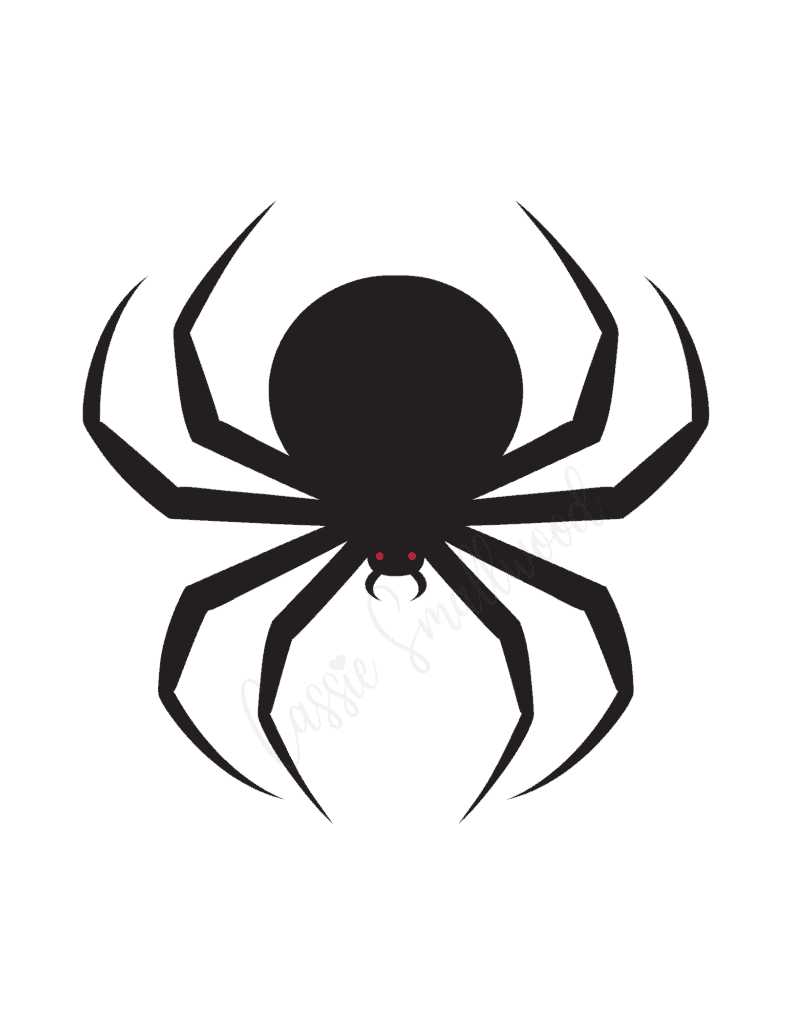
Choose a high-resolution insect template (300 DPI or higher), print it on matte photo paper with a density of at least 200 gsm, and cut along the leg contours with a precision craft knife to achieve sharp, lifelike edges. For maximum realism, scale the image to match common household species–3–4 cm body length for a typical house arachnid replica, or up to 6–7 cm for a more dramatic effect.
Use a color printer with pigment-based inks to prevent smudging on smooth surfaces such as tiles, desks, or kitchen counters. Slightly bend the legs outward at 15–25 degrees to create a subtle shadow that mimics a raised body. A small piece of removable adhesive putty (5–7 mm diameter) placed under the thorax will give a convincing three-dimensional lift without damaging furniture.
Position the paper insect in areas where peripheral vision works against the observer: near door handles at 90–110 cm height, inside a lampshade with warm backlight, or on a white bathroom sink for high contrast. Avoid direct eye-level placement; situational surprise increases when the object appears unexpectedly within a 30–60 degree side angle.
For added authenticity, lightly shade the underside with a soft graphite pencil (2B–4B) and apply a thin layer of clear matte spray sealant from 25–30 cm distance. This reduces glare under LED lighting and strengthens the paper structure, allowing repeated use without visible wear.
Printable Spider Prank: Step-by-Step Guide for a Realistic Scare
Download a high-resolution arachnid silhouette (minimum 300 DPI), print it on 200–250 gsm matte photo paper, and scale it to 6–9 cm for the most believable size compared to common house species. Cut along the leg edges with a precision knife rather than scissors to avoid rounded contours. Lightly bend each leg downward at a 15–25° angle to create a subtle shadow gap between the body and the surface. Add a thin layer of clear tape on the back for durability, then attach small squares of removable adhesive putty (5–7 mm each) under the thorax and two legs so the cutout sits slightly raised instead of flat.
Place the faux arachnid where the target’s eye level naturally drops: inside a lampshade (visible when switched on), under a toilet seat rim, along the edge of a computer monitor, or inside a kitchen cabinet corner. Avoid central open areas; corners and tight angles increase realism. Use dim or directional lighting to cast elongated shadows that enhance the three-dimensional illusion. For timing, position it 30–60 minutes before discovery to prevent adhesive failure. If multiple pieces are used, vary sizes between 4 cm and 10 cm and distribute them asymmetrically.
| Element | Specification | Reason |
|---|---|---|
| Image Resolution | 300 DPI or higher | Sharp leg detail at close range |
| Paper Weight | 200–250 gsm | Prevents curling |
| Leg Bend Angle | 15–25° | Creates depth shadow |
| Adhesive Type | Removable putty | No wall damage |
| Optimal Size | 6–9 cm body span | Realistic household scale |
How to Choose and Download High-Resolution Printable Spider Images for Realistic Results
Select files with a minimum resolution of 300 DPI and dimensions of at least 2400×3000 pixels to maintain sharp detail after printing on A4 or US Letter paper. For larger formats such as A3, aim for 3500×5000 pixels or higher. Check that the image is provided in PNG or TIFF format to preserve fine leg hair, shadow gradients, and transparent backgrounds. Avoid compressed JPEG files under 1 MB, as they often blur edges and reduce contrast in dark areas.
Examine anatomical accuracy before downloading. Realistic arachnid graphics should display eight clearly segmented legs, a distinct cephalothorax and abdomen, and proportionate eye placement. Look closely at leg thickness tapering toward the tips and subtle hair texture along joints. Flat silhouettes without depth cues tend to look artificial when placed on walls or floors.
- Choose images with natural shadowing beneath the body to create a lifted effect.
- Prefer side or three-quarter angles for dimensional realism.
- Ensure transparent backgrounds for flexible placement on different surfaces.
- Download versions with separate shadow layers if available for manual adjustment.
Use reputable stock libraries or graphic marketplaces that provide original artwork and clear licensing terms. Filter search results by “4K resolution” or “print quality 300 DPI.” Preview at 100% zoom to inspect edge clarity and detect pixelation. If the design will be cut out, confirm that the outline is crisp and contrasts strongly with the background to simplify trimming.
- Download the highest available resolution rather than preview size.
- Verify color mode: CMYK files produce more accurate dark tones on home printers than RGB.
- Perform a small 5×5 cm test print to evaluate contrast and shadow depth.
- Adjust brightness by -5% to -10% if the black areas appear washed out on matte paper.
For added realism, scale the image according to common household species sizes–2–4 cm body length for typical indoor varieties, up to 7–9 cm including leg span for larger types. Matching real proportions prevents the graphic from appearing exaggerated and strengthens the visual illusion once placed on light-colored surfaces.
Best Paper Types and Printer Settings to Make the Arachnid Look Three-Dimensional
Choose 200–250 gsm matte photo paper with a subtle micro-texture; this density prevents waviness and allows deep shadow gradients that create volume under room lighting. For inkjet devices, pigment-based inks produce denser blacks (optical density above 1.6) that enhance leg contrast. If using a laser printer, select 160–200 gsm satin cover stock rated for 200°C fuser temperature to avoid curl and toner cracking. Avoid glossy coatings: specular reflections flatten the body shape and reduce the illusion of depth.
- 200–250 gsm matte photo paper (inkjet)
- 160–200 gsm satin cover (laser)
- Brightness: 94–98 ISO for strong contrast
- Whiteness: neutral tone (CIE 150–165) to prevent blue cast
Set print quality to the highest native resolution (at least 1200 × 1200 dpi for laser, 2400 × 1200 dpi for inkjet). Disable “toner save” or “draft” modes. In color management, select “Photo” media type and switch off automatic color correction; manually increase shadow density by +8–12% and midtone contrast by +5%. Use a slight unsharp mask (radius 0.3–0.5 px, amount 60–80%) before sending the file to sharpen leg edges without halo artifacts. Borderless printing helps avoid a white frame that breaks the illusion.
Position the image slightly off-center and rotate it 3–7° before printing; asymmetry enhances realism when the sheet is placed on a flat surface. After printing, cut closely along the outer contour with a 1–2 mm tolerance, then gently curve the legs downward by pressing along their length with a rounded tool to cast natural micro-shadows. For added depth, apply a thin layer of clear matte spray (acrylic, 10–15 cm distance) to reduce paper sheen and intensify dark regions.
Cutting Techniques and Shadow Tricks to Create a Lifelike Spider Silhouette
Use 200–250 gsm matte black cardstock and a fresh #11 precision blade to achieve razor-sharp leg contours with tapered tips no wider than 1 mm. Cut the body in two passes: first outline the abdomen as an oval with a slight 3–4 mm asymmetry, then shape the cephalothorax smaller by roughly 30% to avoid a cartoonish proportion. Hold the blade at a 45° angle and rotate the paper, not the knife, to maintain smooth curves along each limb.
Segment the legs by carving subtle inward notches at two joint points per limb, each notch about 0.5 mm deep. This micro-indentation creates angular articulation once light hits the edges. For species-like realism, vary leg length: front pair 5–8% longer than the rear pair, and angle them at 25–35° from the body axis rather than placing them symmetrically.
Introduce depth by trimming a secondary duplicate of the body, smaller by 2–3 mm on all sides, and mounting it with 1 mm foam adhesive pads. The layered structure casts a natural inner shadow around the thorax perimeter under directional light, producing a subtle halo that mimics three-dimensional form without visible spacers.
For shadow manipulation, position a single LED source at 30° elevation and 20–40 cm distance from the wall. Closer placement enlarges and softens the projection; farther placement sharpens edges. Slightly tilt the cutout 5–10° away from the surface to elongate the legs in the shadow, creating a more threatening stance. Warm light (2700–3000K) produces a denser, heavier outline, while cooler light (4000K) sharpens detail.
Add irregular micro-cuts along two or three leg edges to break perfect straight lines, and lightly curl the extremities forward using the back of the blade. These minor distortions generate uneven shadow thickness that tricks the eye into perceiving movement. Mount the figure near corners or door frames so ambient light from multiple directions overlaps, forming layered projections that heighten realism.
Strategic Placement Ideas: Where to Hide a Paper Spider for Maximum Surprise
Attach the cut-out arachnid inside a lampshade so it becomes visible only when the light is switched on; secure it near the bulb’s shadow line for a sharp silhouette on the wall. Fix it under a desk edge at knee height where someone sitting down will notice it peripherally. Slide it between the pages of a frequently used notebook, positioning it so two legs stick out by 1–2 cm for immediate visual impact upon opening. Tape it to the underside of a computer mouse, allowing it to appear when lifted. Place it inside a shoe near the heel area, ensuring it is seen before the foot goes in. Fasten it to the inner lid of a trash bin so it faces upward when opened.
For shared spaces, choose transitional points where attention is low: the inside corner of a refrigerator door shelf at eye level, the back of a toilet seat lid, the rim of a cereal box facing inward, or behind a curtain edge at shoulder height. In office settings, secure the paper insect behind a stack of documents with only the legs visible, or on the underside of a swivel chair armrest where a hand naturally rests. Outdoors, attach it beneath a mailbox flap or under a porch light casing where shadows amplify the illusion. Keep the placement within 30–150 cm from typical sightlines and use neutral adhesive to avoid damage while ensuring the figure stays flat and believable.