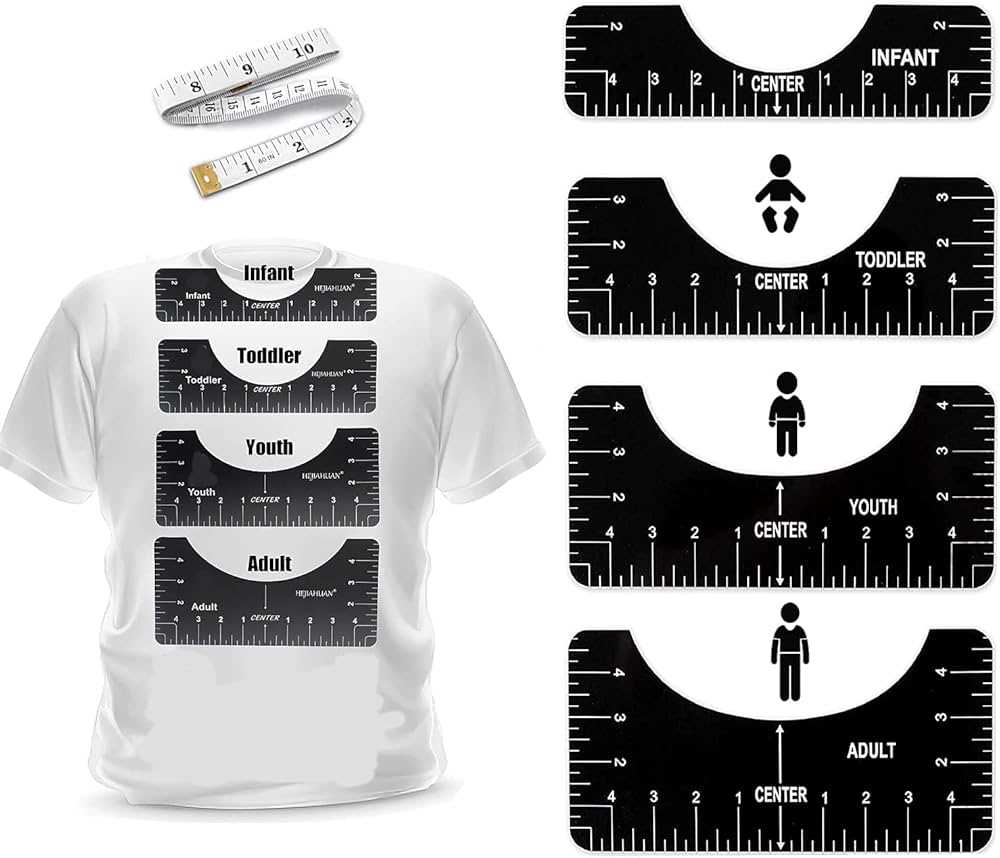
Start by downloading a detailed measurement tool that helps you position graphics accurately on fabric. These tools make it simple to ensure your artwork is centered and aligned to the correct spot, saving time on trial and error. With this tool, you can easily scale designs to fit various garment sizes, reducing the guesswork.
If you want to print it yourself, make sure your printing material is durable enough for repeated use. Lightweight paper may not provide enough stability for precise measurements, while cardstock offers better longevity. After printing, verify that the scaling is correct by measuring it against a standard item to ensure consistency.
For accurate alignment, lay the printed guide flat against the fabric, ensuring no wrinkles or creases interfere with placement. When you measure, use the reference lines to make sure your design fits perfectly in the intended area. Even slight misalignments can result in unprofessional-looking final products.
Once you have mastered using the tool, you’ll save both time and effort in future projects. It’s an ideal way to simplify the design process while maintaining high-quality results for your apparel creations.
Accurate Measurements for Custom Apparel Projects
For precise placement of designs, make sure to use a measurement tool that can be printed and aligned with the fabric. By using a well-calibrated sizing guide, you ensure that your design sits perfectly in the designated area, whether for the front or back of the garment.
Printing the measuring tool on heavy-duty paper ensures that it remains firm during the process. If you’re working with a flexible material, try laminating it so it can withstand multiple uses without warping or bending. This will also make it easier to align designs each time you print a new item.
Once printed, trim the edges of the tool and measure it against the fabric where you intend to place the design. For best results, use a fabric marker to outline the guide before transferring the artwork. This visual reference helps prevent uneven placement or misalignment.
If you’re working with different sizes, adjust the measurement marks accordingly. Different garment dimensions may require minor scaling tweaks, so ensure the guide matches the specific dimensions of each item you’re customizing. This ensures a perfect fit for both small and large sizes without the need for constant recalibration.
When it comes to precise positioning, use the vertical and horizontal reference points to center your design. Most tools include markings that align with common measurement points, such as the middle of the chest or sleeve area. This prevents guessing and offers a professional level of accuracy.
| Garment Size | Measurement Range (inches) | Design Position |
|---|---|---|
| Small | 9-11 | Chest Center |
| Medium | 11-13 | Chest Center |
| Large | 13-15 | Chest Center |
| X-Large | 15-17 | Chest Center |
For those who frequently design custom apparel, using a reusable measurement tool will save significant time in the long run. Instead of manually measuring and adjusting each time, the tool provides a reliable framework for consistency. This minimizes errors and ensures your designs are always correctly placed.
By integrating this tool into your design process, you’ll notice improvements in both speed and accuracy, leading to higher-quality results. Whether you’re printing a few shirts or working on larger batches, having a set standard for placement will streamline your workflow and improve your output quality.
How to Download and Print a T Shirt Ruler Guide Template
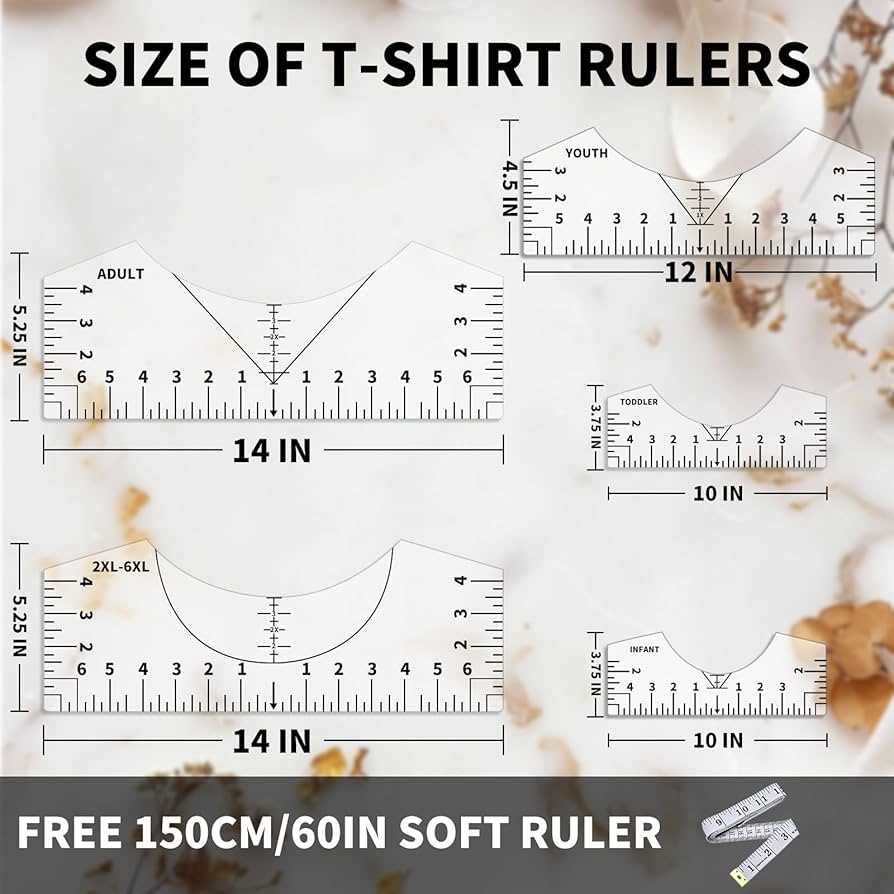
To begin, find a reliable source where you can access the measurement template. Many websites offer downloadable files in PDF format, which ensures that the measurements are accurate and scalable. Once you locate a trusted source, look for the download link and click on it to obtain the file.
After downloading the file, open it on your computer or mobile device. Make sure to check the file size and the page dimensions to ensure that the guide is formatted correctly for printing. Some templates may require you to adjust the print settings for proper scaling.
Next, prepare your printer. Set it to print at actual size to avoid any scaling distortions. Avoid using “Fit to Page” options, as this can alter the proportions. If your printer settings allow, select the option to print the document without resizing.
For best results, print the file on heavy paper such as cardstock. This will provide the sturdiness needed to keep the template intact during multiple uses. If you don’t have heavy paper, consider printing on regular paper and laminating the guide for durability.
- Check the print preview to ensure the guide fits within the page margins.
- Use a ruler to measure the printed template to confirm its accuracy.
- If you notice any discrepancies, make adjustments to the printer settings and reprint the file.
Once printed, carefully cut along the edges of the template. This will make it easier to place on fabric for design alignment. If the guide needs to be adjusted for different clothing sizes, mark the measurements accordingly for a quicker setup next time.
Adjusting the T Shirt Ruler Guide for Different Shirt Sizes
When customizing garments of various sizes, you’ll need to adjust the positioning of the design template. For smaller sizes, reduce the area covered by the design, positioning it higher on the fabric to maintain balance. For larger items, expand the design area and lower its placement to fit proportionally. Most templates provide reference points that can be modified according to the garment’s measurements.
To ensure accuracy, measure the centerline of the garment before using the template. For each size, mark the points where the design should start and end, adjusting the template accordingly. Always double-check the template alignment against the actual measurements of the garment to prevent misplacement of the design.
How to Use the T Shirt Ruler Guide for Centering Your Design
To center your design, start by folding the fabric in half both horizontally and vertically. This will give you a clear reference point for the middle of the item. Use a fabric marker to lightly trace the center fold on both axes.
Once you have the center marked, place the measurement tool on top of the fabric. Align the centerline of the tool with the fabric’s centerline. This ensures that your design will be placed symmetrically on the garment.
If the design template includes measurement increments, use them to position the artwork at the desired height and width. For example, if the template marks 6 inches from the top of the fabric, adjust your design to sit within that range to maintain consistency.
To check alignment, measure from the fabric’s edges to the tool’s edges. The distances should be equal on both sides of the design to ensure it is centered properly. Use a ruler or measuring tape for extra accuracy.
- Double-check the distances between the design and the fabric’s edges.
- Adjust the position if necessary before securing the template with pins or temporary adhesive.
For larger designs, you may need to adjust the positioning slightly higher or lower on the fabric to maintain the correct proportions. Ensure the tool’s guidelines match the new placement to keep the design centered.
After everything is aligned, proceed with the design transfer. This method minimizes misalignment, giving your project a professional look. The key is to verify the symmetry at each step to ensure a perfectly centered outcome.
Best Paper Types for Printing Your T Shirt Ruler Guide Template
The most suitable paper for printing measurement tools is a heavier weight, such as 120-150 gsm. This ensures durability, especially if you plan to use the tool multiple times. Heavier paper provides enough stiffness to prevent bending and allows for precise cutting.
If you want a more long-lasting option, consider using cardstock. It’s thicker and sturdier than regular printer paper, making it ideal for repeated use. Cardstock also prevents wrinkles, which helps maintain the integrity of the measurements over time.
For a flexible option, try using standard 90-100 gsm paper if you plan to print the tool once or twice. It’s lightweight and works well for short-term projects but may not hold up as well with extensive handling.
If you prefer a reusable option, laminate the printed paper after cutting it out. This will create a waterproof and durable version that can withstand repeated use and provide a smooth surface for marking directly on it.
- For long-term use, choose a thick, rigid paper like cardstock or a laminated sheet.
- If you need a quick, one-time-use option, go for a lighter paper but handle with care.
Make sure to test print on a smaller sheet before using your final material. This ensures that the measurements are accurate and that the paper is compatible with your printer settings. Always check that the scaling remains intact after printing.