
Start by using a clear and organized sheet to note down home chores. With a proper structure, you’ll stay focused and avoid forgetting important tasks. Select a design that suits your style–whether simple, grid-based, or with sections for different rooms or types of tasks. This way, you can easily update and review ongoing projects without feeling overwhelmed.
Focus on dividing the tasks into categories like repairs, cleaning, or shopping, and break larger tasks into smaller, manageable steps. This makes it easier to check things off without feeling like you’re facing a massive to-do. You’ll also want to prioritize items by urgency or importance, helping you stay on track throughout the week.
Incorporate a space for tracking progress or deadlines, especially if certain tasks need to be completed by a specific time. Having a simple way to update and visualize your progress keeps you motivated and organized. Keep it visible–whether posted on the fridge or kept digitally–so you can reference it as you go through your day-to-day routine.
Finally, adjust the design and format to fit your preferences. Whether you prefer a traditional pen-and-paper method or digital tools to sync with your calendar, customizing it will make the process easier and more effective. The key is consistency in updating and reviewing your schedule regularly to stay on top of all tasks.
Creating a Household Chore Organizer
To stay organized, begin by using a task tracker for household projects. Prioritize areas like home repairs, cleaning, or maintenance. Design your organizer to suit your needs–whether it’s a detailed breakdown or a quick overview. The clearer the structure, the easier it is to stay on top of everything.
Split tasks into specific categories for efficiency. For instance, you could create separate sections for weekly chores, seasonal cleaning, and home improvements. This will allow you to focus on the most pressing duties first without feeling overwhelmed by the amount of work.
Consider color-coding tasks based on urgency or type. Red can represent urgent repairs, blue for regular cleaning, and green for long-term projects. This method helps you visually identify what needs attention right away and what can wait a bit longer.
- Repairs: Leaky faucets, fixing doors, and electrical work.
- Cleaning: Dusting, vacuuming, and washing windows.
- Shopping: Grocery lists and other household supplies.
- Upkeep: Lawn care, pest control, and HVAC maintenance.
Make sure to review your organizer weekly. Mark off completed tasks and update any new duties that arise. This simple habit ensures that no project gets overlooked, and you can track how much has been accomplished.
If you prefer a digital solution, many apps offer synchronization with your phone or calendar. This allows you to receive reminders and updates in real time, ensuring you stay on top of your duties even when on the go.
Lastly, make it fun by setting small goals for yourself or your household. For example, challenge everyone to complete at least three tasks before dinner. By gamifying the process, you create a sense of accomplishment that helps maintain motivation over time.
How to Choose the Right Household Task Tracker for Your Needs
First, evaluate your needs based on the type of chores you perform regularly. If you need a broad overview, opt for a simple organizer with sections for major categories like cleaning, repairs, and shopping. However, if you require a more detailed approach, consider a template that breaks tasks down further into subcategories.
Next, think about how much space you need for each task. Some people prefer more room to add additional notes or deadlines. If that’s the case, select an organizer with plenty of blank space or customizable sections to accommodate all the necessary details.
For those who work better with visual cues, consider a layout that uses color coding or boxes for each task. This makes it easier to quickly see what’s done and what needs attention. You could also look for options that allow you to check off tasks as you complete them or write in progress updates.
| Feature | Benefits |
|---|---|
| Simple Format | Quick and easy to use for basic tasks. |
| Detailed Sections | Great for tracking specific chores and deadlines. |
| Visual Elements (Color, Boxes) | Helps stay motivated and provides immediate clarity on progress. |
Another consideration is the format of the tracker. If you prefer paper, choose a physical version that you can post in a common area. For those who like digital tools, find an app or an online version that syncs with your phone or calendar, making it easier to keep up with updates on the go.
Lastly, ensure that your chosen tool suits your workflow. Some people prefer a weekly breakdown, while others want a daily view to track specific tasks. Pick a system that aligns with how you think and work, so it doesn’t add more complexity to your routine.
By selecting a tracker that fits your style and household needs, you’ll make task management more streamlined, ensuring you stay on top of everything that needs doing around the house.
Step-by-Step Guide to Customizing Your Household Task Tracker
Start by identifying the main categories for your chores. You can organize them into sections such as cleaning, repairs, grocery shopping, or maintenance. This structure helps you prioritize and visualize your tasks more effectively.
Next, decide how much space you need for each task. If you require extra room for notes or deadlines, choose a design with larger spaces or customizable fields. This flexibility allows you to add specifics like due dates or required materials for each project.
Incorporate checkboxes or progress markers to track completed tasks. This simple addition helps you stay motivated and gives a clear sense of accomplishment as you tick off each item. You can also add a section for any additional notes or follow-up tasks.
Consider using color to differentiate tasks based on priority. For example, use red for urgent repairs, blue for regular cleaning, and green for long-term maintenance. This visual system will help you easily spot which tasks need immediate attention.
Lastly, adjust the layout to fit your preferred style. If you prefer a weekly format, create sections for each day of the week. Alternatively, a monthly format might suit you better if your tasks are less time-sensitive. Choose the structure that complements your daily routine.
How to Organize Tasks on a Household Tracker by Priority
Start by categorizing your tasks into urgent and non-urgent items. For example, broken appliances or plumbing issues should be placed at the top of your list, while cleaning tasks can be pushed to a lower priority. Use a numbering system or color coding to highlight high-priority tasks.
Next, break down larger projects into smaller tasks to make them more manageable. For instance, instead of simply writing “clean the garage,” break it into steps like “organize tools,” “sweep floor,” and “remove trash.” This way, you can track progress and avoid feeling overwhelmed by big tasks.
Best Practices for Keeping Your Household Task Organizer Updated and Accurate
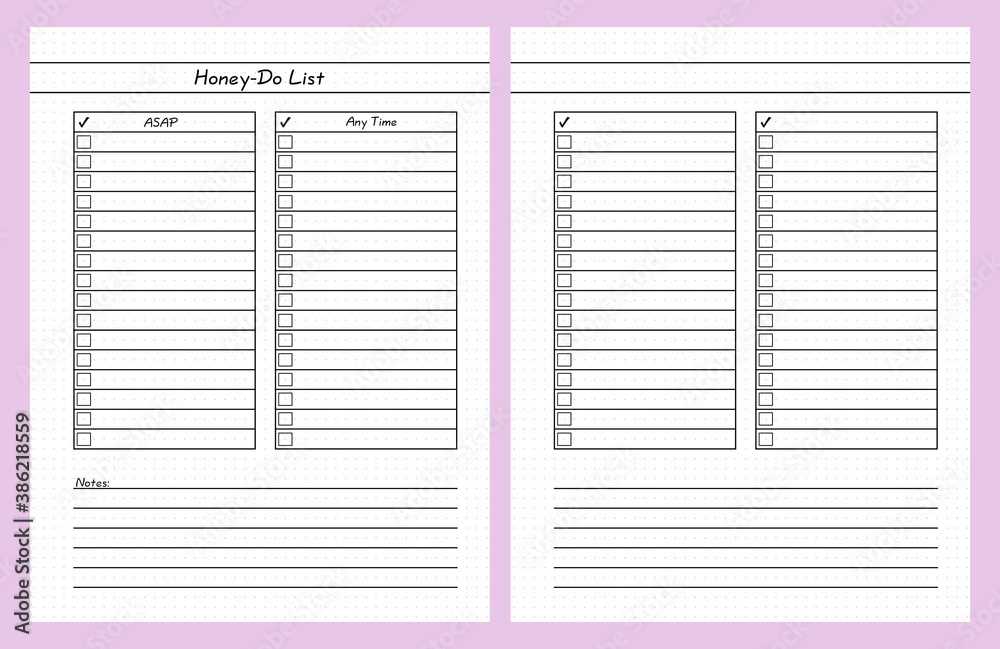
Review your task tracker daily or weekly to ensure it’s current. As new tasks arise, add them immediately. This prevents forgetting or overlooking things that need to be done. Make it a habit to update the organizer during your routine, so it becomes part of your workflow.
Prioritize tasks regularly. Life happens, and sometimes priorities shift. Reassess what’s most urgent and adjust your list accordingly. This ensures you focus on what truly needs your attention, especially if things get added unexpectedly.
Be specific when writing tasks. Instead of vague descriptions like “fix things,” break them down into detailed actions, such as “replace kitchen faucet” or “tighten cabinet door.” This prevents confusion and provides clear direction for each task.
Set realistic deadlines. Avoid overloading your organizer with too many tasks for a short timeframe. Instead, spread them out according to their urgency and available time, helping you stay productive without feeling overwhelmed.
Cross off completed tasks regularly to maintain motivation. This gives you a sense of accomplishment and helps keep your focus. If a task isn’t completed in the expected timeframe, move it to the next week or prioritize it again for follow-up.
Consider using a digital tool to sync with your calendar or phone. Digital solutions offer reminders, easy updates, and quick accessibility, ensuring your task tracker is always within reach and up to date no matter where you are.