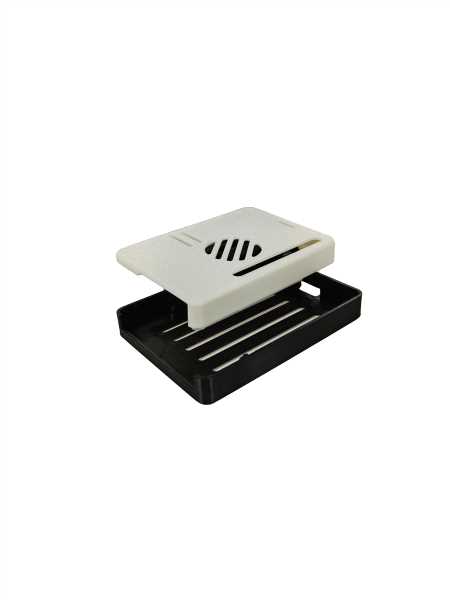
If you’re building a personalized setup for your Pi 5, creating a tailored protective shell can enhance both functionality and aesthetics. Whether you need more ventilation or a sleek look, custom-made enclosures provide a practical solution. You can adjust size, airflow, and even integrate extra ports or mounts to better suit your needs.
Consider using a 3D printer to craft a unique frame that meets the specific dimensions of your board. Many designs allow for easy assembly without requiring screws or adhesives, making the build process straightforward. For additional customization, explore options that include mounts for cooling systems or expansion boards.
Another benefit is the ability to experiment with various materials. Choosing a heat-resistant plastic or incorporating metal elements can improve temperature management, ensuring your system stays cool during extended use. You can also design for optimal cable management, reducing clutter while maintaining a professional look.
Raspberry Pi 5 Enclosure Options
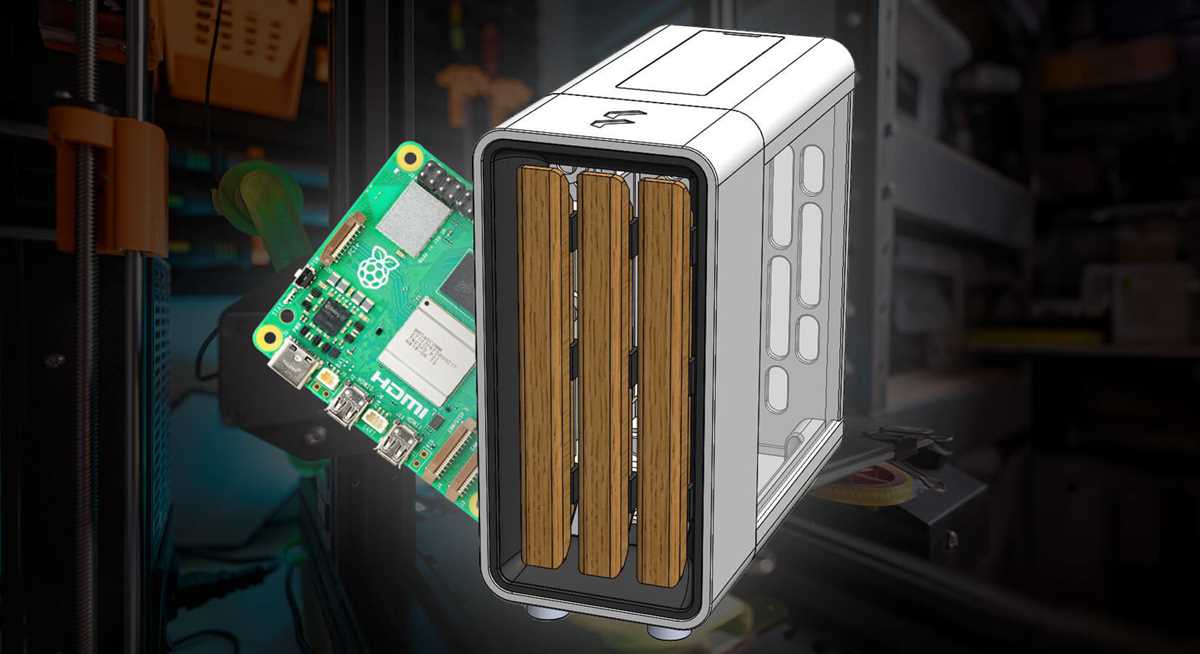
If you are looking for an effective way to protect your board, consider a well-designed enclosure. Many designs are available for 3D printing, offering various features and customizations that suit different needs. Start with materials like ABS or PLA for durability and heat resistance, as these will ensure long-lasting protection.
Choose a model with good airflow if you plan to use the board for intensive tasks. Cooling is a key factor, so look for designs that include ventilation slots or integrated fans. These will help prevent overheating during extended use. Some options even allow for the addition of heatsinks for improved heat dissipation.
If you want a sleek, modern look, opt for a minimalistic design with smooth edges and a compact structure. These enclosures are often lightweight yet provide enough rigidity to prevent damage from drops. Many of these models are compatible with standard GPIO pins, so you won’t need to remove the board to access the connections.
For those interested in portability, smaller enclosures are ideal. These are great for DIY projects or when you need to carry your setup on the go. Some designs are modular, enabling easy access to ports and expansion slots without removing the entire enclosure.
- Look for enclosures that come with mounting holes for easy integration into other devices.
- Consider designs with rubber feet or shock-absorbing materials for extra protection.
- Make sure the model offers access to important ports, including USB, HDMI, and power connections.
Lastly, ensure the design you choose matches your specific setup. Some cases are tailored for special accessories, such as touchscreens or cameras. It’s important to consider your project’s requirements and select an enclosure that fits both your technical needs and aesthetic preferences.
HTML
Choosing the Right Material for Your Raspberry Pi 5 Case
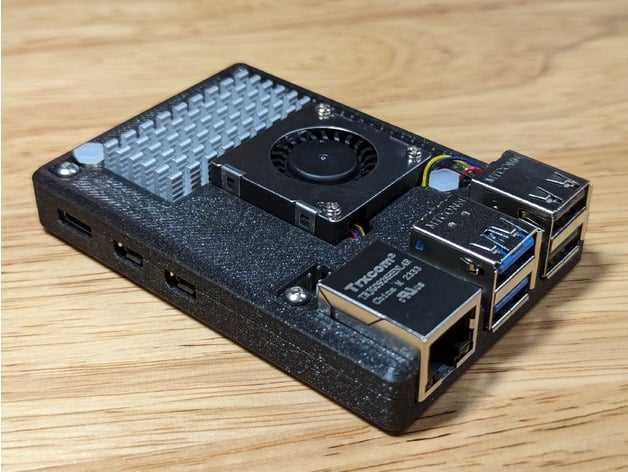
For durability and heat management, opt for ABS plastic or polycarbonate. These materials provide a sturdy structure and can withstand typical wear without cracking. Both options are lightweight and provide enough rigidity to protect the components inside.
ABS plastic is popular due to its resistance to impact and heat. It also allows for easy manufacturing and customization, making it ideal for 3D printing projects. Its high melting point ensures that your device remains safe even during prolonged use.
Polycarbonate, while slightly more expensive, offers superior strength and better heat resistance than ABS. It’s ideal for environments where the temperature might fluctuate or where additional protection from accidental drops is required. It also has excellent transparency, which can be beneficial if you want to showcase internal components.
If you prioritize cooling, consider materials with heat dissipation properties like aluminum. Aluminum provides an effective heat sink, improving thermal management and extending the lifespan of the device. It also adds an aesthetic touch, as its metallic finish can complement any setup.
For eco-conscious users, biodegradable plastics such as PLA (Polylactic Acid) offer a more sustainable option. While not as durable as ABS or polycarbonate, PLA is compostable and reduces environmental impact, making it an attractive choice for users interested in greener alternatives.
Lastly, consider hybrid options that combine plastic with metal components. These cases can offer a balance between lightweight protection and thermal efficiency. Look for designs that incorporate metal cooling fins or inserts to enhance air circulation without sacrificing portability.
How to 3D Print a Custom Raspberry Pi 5 Enclosure
Choose your material carefully. PLA is a popular option due to its ease of printing and durability, but for higher temperature tolerance, ABS or PETG might be better suited. These materials offer better resistance to heat, which is important for devices that run continuously.
Ensure proper fit for your device. Measure the dimensions of the Raspberry Pi 5 with high accuracy. Use calipers for precise measurements. The case should have a snug fit but also allow airflow to prevent overheating. Include cutouts for ports, LEDs, and any accessories you plan to attach.
Select a 3D design software such as Fusion 360, Tinkercad, or FreeCAD. These tools allow you to create or modify a 3D model tailored to your needs. If you’re new to CAD software, Tinkercad’s user-friendly interface is ideal for simple designs. For more advanced features, Fusion 360 offers extensive options for customization.
If you prefer a quick start, find free models online. Numerous websites host community-created designs, including Thingiverse and MyMiniFactory. While these models might require tweaks for a perfect fit, they offer a solid foundation to work from.
Plan your print settings. Layer height should generally be set between 0.2mm and 0.4mm for a balance between detail and speed. A lower layer height improves detail but increases print time. For most purposes, 0.2mm is a reasonable compromise. Ensure that your infill density is set to at least 20% for sufficient strength.
Print in sections if necessary. Some models, especially those with intricate parts or large dimensions, might not fit within your printer’s build volume. In such cases, splitting the design into smaller parts for easier printing and assembly is an option. Design connectors, hinges, or interlocking sections to easily combine pieces after printing.
Test print smaller parts first. Before printing the entire enclosure, consider testing individual components like the mounting points for the board or the connectors for the ports. This ensures that adjustments can be made early in the process, saving time and material.
After printing, check for accuracy. Use a file or sandpaper to smooth rough edges or adjust tight fits. For a cleaner finish, you can also use a heat gun to carefully smooth out PLA surfaces. Finally, assemble your components, ensuring the Raspberry Pi 5 fits securely inside without obstructing any essential functions.
Designing a Case with Proper Ventilation for Raspberry Pi 5
Ensure your build includes multiple air openings, particularly around the processor and GPU area. The main goal is to allow for efficient airflow that prevents heat buildup during high performance.
Use a mesh or perforated material on the top and sides of the enclosure to maximize air circulation. These materials help in drawing in cooler air while expelling warm air effectively, maintaining a balanced temperature.
Incorporate larger vents or even a fan mount if you’re working with demanding applications. A small, low-profile fan can significantly reduce internal temperatures when placed near critical components like the CPU.
The positioning of vents is just as important. Align airflow paths with internal component layout to avoid creating stagnant air pockets. Place openings where airflow will directly cool the processor, memory, and power circuits.
Avoid completely sealing the device. Even with high-quality thermal pads and heat sinks, passive cooling isn’t enough for prolonged usage. Balance between structure and air openings is key.
Consider using materials with heat-resistant properties. The external material of the housing should dissipate heat rather than trap it. Lightweight aluminum or plastic with thermal conductivity can work well for this purpose.
Additionally, ensure that no vent obstructs or disturbs nearby cables. Cable management is important to avoid blocking the airflow through the unit. Keep cables neatly routed and as far from the airflow direction as possible.
Incorporate a dust filter at air intake points to prevent debris from entering the housing. This will help maintain optimal airflow over time, especially in environments with high dust levels.
Adding Mounting Options to Your Raspberry Pi 5 Setup
To enhance the stability of your device, consider integrating mounting points directly into your housing design. This can be achieved by adding threaded holes or slots in strategic locations that allow for the use of screws or bolts. For vertical mounts, include holes at the bottom corners, allowing for a secure attachment to a wall bracket or stand. If you want flexibility, opt for slots that can accommodate adjustable screws for a more customizable setup.
Another option is creating raised supports inside the housing. This keeps the board elevated, minimizing contact with the base surface and preventing overheating by improving airflow. To ensure maximum protection, use flexible mounts or rubber feet that absorb vibrations and reduce the chances of damage during transportation.
- Ensure all mounting holes are aligned with the screw points on your board.
- Consider adding mounting holes for fan attachments, which help in temperature control.
- Use durable materials for mounting options to maintain long-term reliability and strength.