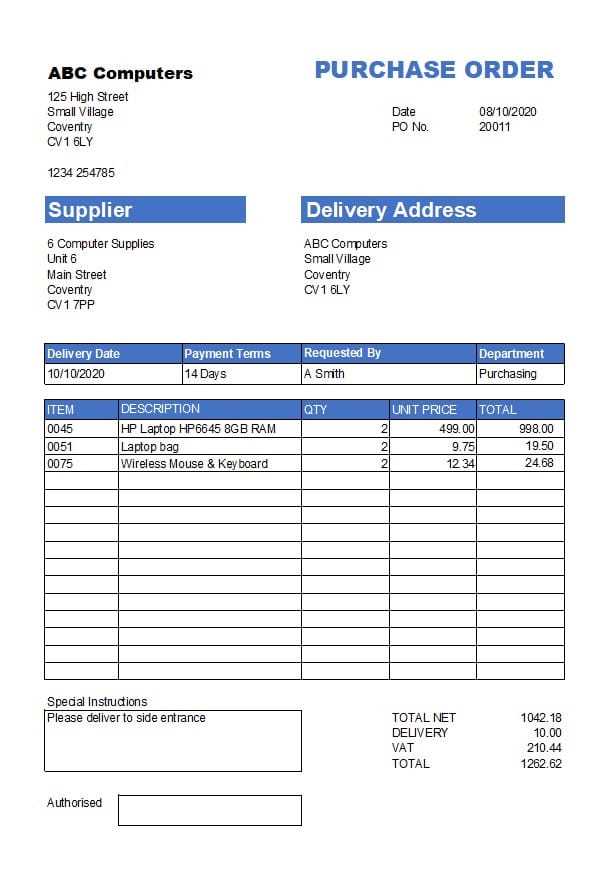
Start by choosing a structured document that helps you track income, expenses, and profits. This can be a simple spreadsheet or an organized sheet tailored for your needs. Choose one with columns for date, description, category, and amount, and customize it as needed to reflect your financial activities.
Use color coding to categorize transactions such as sales, purchases, or overheads. This helps in quickly identifying where your money is going, which is crucial for efficient management. Be sure to update your document regularly to avoid gaps in your financial overview.
If you’re handling large volumes of transactions, consider using formulas to automatically calculate totals and balances. This not only saves time but also reduces the chance of manual errors. Templates often come with built-in formulas for adding or subtracting amounts, making it easier to keep your records up-to-date.
Lastly, ensure that the document is accessible and backed up. Whether you’re using a physical format or a digital one, keep copies stored securely. If it’s a digital record, use cloud services to prevent data loss and keep everything organized in one place for easy access and reference.
Organizing Your Finances with a Simple Spreadsheet
Create a clear and easy-to-use document to monitor all your financial transactions. Start with columns for date, transaction description, category, and amount. This basic structure will help you record all relevant details without making it overwhelming.
Customize the format based on your needs. For example, if you have multiple income streams or regular recurring costs, add specific sections to track these separately. Use simple formulas to calculate totals for each category, ensuring a quicker overview of your financial situation.
To improve the usability of your sheet, include space for notes or comments, which can be helpful when explaining irregular transactions. Regularly updating the sheet will give you a comprehensive view of your finances and help you stay on top of both your budget and cash flow.
How to Choose the Right Financial Tracking Sheet for Your Business
Start by evaluating the specific needs of your business. If you have a simple structure with a few transactions, a basic sheet with date, description, and amount columns should be sufficient. For more complex needs, such as multiple revenue streams or various expense categories, choose a more detailed layout that includes separate sections for each type of transaction.
Consider the scalability of the document. As your business grows, the volume of data you need to manage will increase. Ensure the format you select can expand to include additional columns or rows without becoming cluttered. Templates that allow for easy customization are ideal for businesses that anticipate significant changes in their financial structure.
Lastly, think about the software or tools you are comfortable using. If you prefer working with spreadsheets, ensure that the format is compatible with the platform you use. Templates for Excel or Google Sheets are often easy to customize and allow you to use built-in formulas, making them a practical option for tracking finances efficiently.
Step-by-Step Guide to Using a Financial Tracker for Financial Tracking
Start by selecting a format that suits your business structure. For small businesses or personal use, a simple sheet with basic fields like date, description, and amount may be enough. If your financial situation is more complex, look for a structure with additional categories, such as income, expenses, and taxes. Choose one that reflects your needs and allows for easy customization.
Next, input your starting balance. This serves as a baseline for tracking all future transactions. Make sure you update it regularly to ensure the balance remains accurate. For businesses with inventory, you might also want to add fields for stock or asset tracking, depending on your requirements.
As you record transactions, categorize them accurately. Use clear and consistent labels for each entry to ensure that the categories remain organized. Common categories include operational costs, sales income, marketing expenses, and salaries. This will help in generating reports and analyzing your financial status later on.
Periodically update your financial sheet with new transactions, and check for discrepancies. Regular updates help you stay on top of your finances and reduce errors. Additionally, regularly reviewing your records will allow you to spot trends in your spending or earnings that could inform future business decisions.
Once you have entered a sufficient amount of data, use built-in features like formulas to calculate totals or summaries. A simple sum formula can automatically calculate totals for each category, such as total income or expenses. This feature reduces manual calculations and improves accuracy.
Finally, save and back up your data. If you’re working on a digital platform, ensure that your sheet is saved in a secure location and backed up regularly. For physical copies, maintain a filing system where all records can be easily retrieved when needed. Proper documentation will help you track your business’s financial progress and prepare for tax season.
Common Mistakes to Avoid When Using Financial Tracking Sheets
One common mistake is failing to update entries regularly. It’s easy to forget about entering transactions, which can lead to inaccuracies in your financial overview. Regular updates, ideally weekly or bi-weekly, keep the data fresh and reliable. Always record transactions as soon as they occur, ensuring no details are missed and that your balance remains accurate.
Another mistake is improper categorization of entries. Mixing business expenses with personal costs, or inaccurately labeling transactions, can lead to confusion and make it harder to track your financial situation. Be consistent with categories and labels to ensure that you can easily generate meaningful reports and gain valuable insights from your data.
Customizing Your Financial Tracking Sheet for Better Accuracy
To achieve better precision, tailor your financial records to match your business model. Start by adjusting categories to reflect your specific revenue streams and expense types. For example, if you operate an online store, include specific rows for shipping costs, product returns, or payment processing fees. This ensures that no transactions are left out and makes it easier to track your performance.
Next, consider adding columns that will allow for more detailed breakdowns. Rather than using a single column for all expenses, break it down into subcategories like utilities, office supplies, and marketing costs. This provides clearer visibility into where money is being spent and allows for more effective budget planning.
Incorporate automatic calculations wherever possible. By using formulas to calculate totals and balances, you can reduce human error and save time. For instance, instead of manually adding up your monthly income or expenses, use simple summation functions in the cells to ensure the numbers are always accurate.
It’s also important to set up date ranges for your financial entries. By adding columns for the start and end dates of each entry, you can track monthly or quarterly financials with ease. This structure is particularly useful when generating reports for tax purposes or when analyzing your cash flow over time.
Ensure that your system is easy to update. If you’re adding or removing categories or columns, make sure that the changes are reflected throughout the entire sheet. A well-organized sheet will allow for easy modification and adaptation, without causing confusion or errors in other parts of the document.
Establish a system for tracking recurring transactions. For example, rent, salaries, and subscription fees tend to occur regularly. Include a column where you can mark these as recurring items and assign them to specific months or periods. This will help you stay ahead of predictable costs and ensure they are always accounted for on time.
Don’t forget about the use of color codes or conditional formatting. Highlighting key information, such as overdue payments or large expenses, will make your financial sheet more visually organized. This helps you spot discrepancies faster and take corrective action as needed.
Lastly, always back up your records. While customizing your tracking sheet, ensure that you regularly save a copy and keep backups of important financial data. Cloud storage options or external drives can provide a secure way to store your records and protect them from accidental loss or corruption.