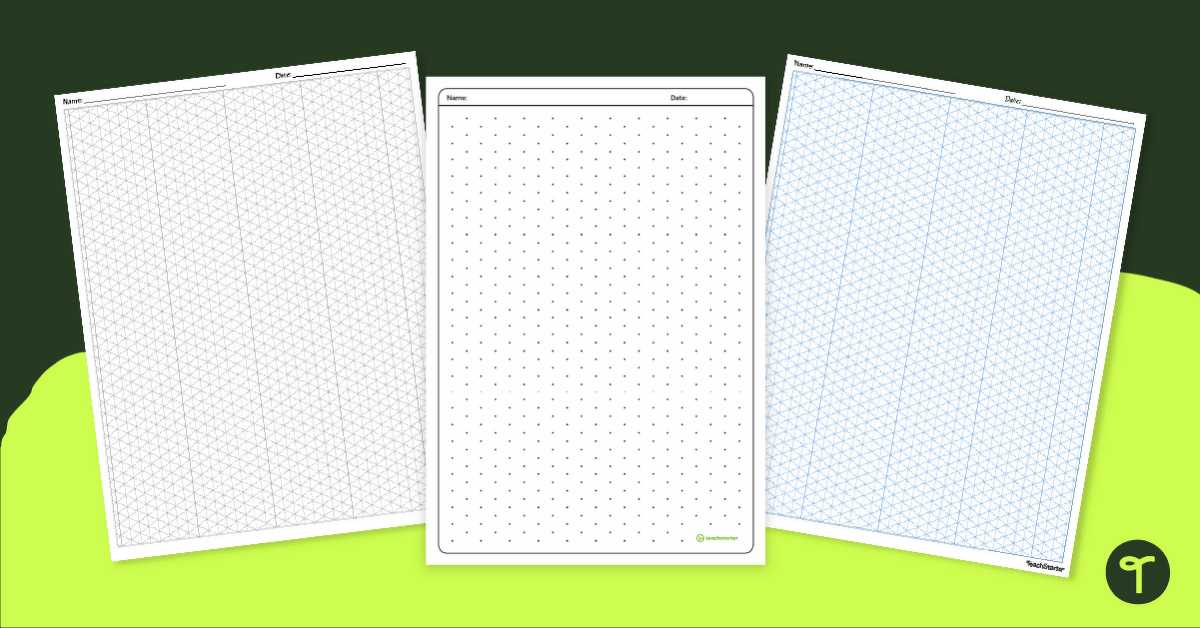
Start by selecting the right grid style to suit your project’s needs. Whether you’re working on geometry, creating detailed designs, or simply practicing your drawing techniques, using a grid with evenly spaced shapes is a great way to maintain consistency. These templates are available in various formats, so choose one that allows you to adjust the scale according to the complexity of your work.
When printing a grid for your designs, ensure the grid lines are clear but not too bold. This will make it easier to add details without the lines overpowering your artwork. You can either print multiple copies for repetitive tasks or resize the grid based on the size of the paper you’re using.
Once your design is set, consider layering colors or adding different textures to your drawing to create depth. These grids are perfect for designing intricate, symmetrical patterns that lend themselves well to 3D effects. Even beginners can use these grids to experiment with shading and structure, creating visually dynamic pieces.
How to Use Gridded Templates for Precise Drawings
Begin by selecting the correct layout for your design needs. A uniform grid with symmetrical spacing between points allows for easier scaling of your artwork. These grids can be adjusted to match the complexity of the design, making them a versatile tool for both simple and intricate projects.
When printing a grid for your work, make sure the grid lines are clear but not too dark or distracting. You want to have enough contrast to easily see the structure, but not so much that it dominates the final image. Adjust the size of the grid based on the dimensions of your artwork and the level of detail you plan to include.
For geometric drawings, these grids are particularly useful. The uniform spacing helps you maintain consistency across your work, ensuring that angles and proportions stay correct. Whether you’re drawing cubes, pyramids, or other three-dimensional shapes, a well-structured grid can simplify the process.
If you’re experimenting with visual effects, try adding shadows or textures. The grid will help you understand how light interacts with the shapes, giving depth to your design. This method is especially useful when practicing how to create the illusion of 3D objects on a flat surface.
These grids also work well for artists looking to practice their drafting skills. They allow you to focus on the structure of the drawing without worrying about proportions or alignment. By practicing with a grid, you can focus on refining your technique, improving the precision of your artwork.
Finally, once your design is complete, you can remove the grid lines or simply leave them as part of the artwork for a technical look. Whether used for educational purposes or artistic expression, these grid systems provide a practical solution to maintain accuracy and consistency in your drawings.
How to Print and Customize Gridded Dot Layouts
To begin, select the desired grid size and spacing that fits your project. If you need more precision for a detailed design, opt for a grid with smaller spacing between the dots. Adjust the resolution of the layout on your printer settings to ensure clear, sharp dots that won’t blur during printing.
Customize the grid by changing the dot size or color before printing. Most editing software allows you to modify the grid’s appearance to suit specific needs. If you are working on a project that requires different point densities, adjusting the size of the dots or even creating different grid layers can add flexibility to the final product.
If you want to create a multi-purpose layout, consider adding labels or guides to certain grid areas. This can be helpful when planning out specific sections of a design or if you need to focus on certain dimensions. Many tools allow you to place transparent text or shapes over the grid to assist with alignment.
After printing, you can further customize the layout by adding texture or shadow effects. This step can help enhance the three-dimensional appearance of your design, especially if you plan on using the grid for architectural drawings or geometric illustrations. Experiment with different pens, pencils, or even digital overlays for more depth in your work.