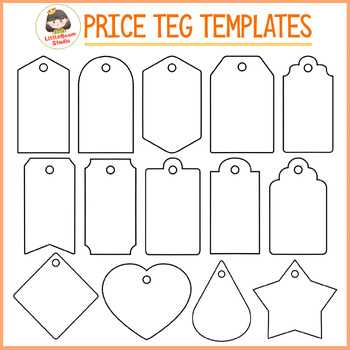
Start by selecting a design template that suits your product range. Use basic software like Microsoft Word or Google Docs to create simple templates or download free resources from websites offering customizable designs. Choose the right size for your tags depending on the size of your items and the amount of information you want to display.
Once you’ve designed your tags, consider adding clear fonts and bold colors to ensure readability. You can include the product name, price, and any special offers or promotions. Make sure to leave enough space between each tag to easily cut them out after printing.
For printing, use thicker paper or adhesive sheets to make sure the tags are durable. If you prefer, use a paper cutter for clean edges, or opt for pre-cut label sheets that fit your design. Print a test page first to make sure the layout looks good before printing in bulk.
How to Create Custom Tags for Your Products
Start by choosing a clean, easy-to-read template that fits your needs. You can find many free options online that allow you to modify fonts, colors, and other design elements. Once selected, personalize it with your item’s name, details, and cost.
For a professional look, consider using bold typography for the price and keeping the rest of the text smaller or in a different color. This helps draw attention to the most important information while maintaining a balanced layout. Make sure the font is large enough to be visible from a distance.
If you need to print multiple tags, it’s best to use adhesive paper. This will save time and effort, as you can stick the tags directly to products without additional steps. Be sure to check the dimensions of the tags before printing, as some templates may need resizing to fit your sheets correctly.
Finally, when printing, make a test run on regular paper to ensure everything aligns properly. Once satisfied with the layout and design, print them on your chosen material. Afterward, cut them out carefully or use a paper cutter to get clean edges for a polished look.
How to Design Custom Price Tags for Different Products
For smaller items like jewelry or stationery, choose compact, square-shaped designs. Use simple fonts and limit text to the product name and cost. Stick with clean lines and minimalistic decorations to ensure the tag doesn’t overwhelm the small product.
For larger items like furniture or appliances, go for more detailed tags. Include additional information like product specifications, features, or promotions. Make the font size large enough to catch attention from a distance, and consider using contrasting colors to highlight important details like the price.
For unique or seasonal products, use themed designs to make the tags more engaging. Incorporate relevant graphics like holiday symbols, nature motifs, or specific branding elements that tie in with the product. This adds personality and helps connect the item with its intended context or season.