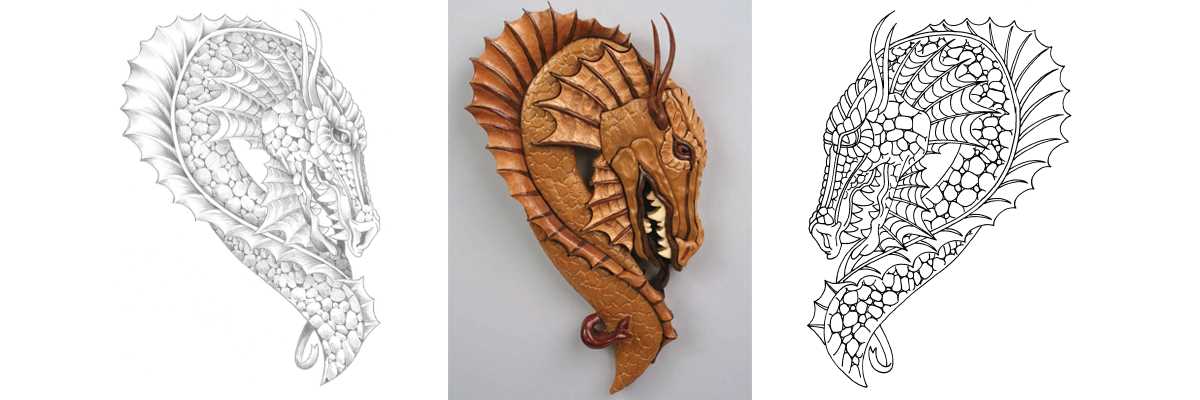
Start by selecting a design that fits your skill level and project goals. For beginners, simple geometric shapes or basic animals are great choices, while more advanced users can tackle intricate details such as nature scenes or custom patterns. It’s important to choose a layout that matches your woodworking tools and the size of your material.
Make sure to print the design at the correct scale to avoid mistakes during the cutting process. Many resources offer resizing tools or provide specific instructions on scaling to the desired dimensions. If you’re working with larger materials, you may need to print sections of the design and tape them together carefully to ensure alignment.
When transferring the design to your material, use a method that provides the clearest outline, such as tracing with carbon paper or a fine-tip pencil. Keep the lines thin to avoid unnecessary marks left on the final piece. Be sure to double-check your measurements before cutting, as precision is key to a clean finish.
Choosing the Right Templates for Your Crafting Projects
Begin by understanding the type of material you plan to use. For softer woods, simple designs work well, but for hardwoods, detailed templates that feature smaller, more intricate shapes might be necessary. The complexity of the cut should match the tool you are using to ensure precision.
Consider the source of the design. Many websites offer a wide variety of options, but it’s important to select those that match your experience level and available tools. Some sites even allow for customization, letting you adjust the size or complexity of the design to better fit your project needs.
- Beginner designs: Simple geometric shapes, basic animals, and abstract forms.
- Advanced designs: Detailed landscapes, fine lines, and custom portraits.
- Intermediate designs: Nature scenes, intricate borders, and decorative patterns.
One key point to remember is that the quality of the design influences the final result. Some templates might not scale well, so ensure that the resolution is high enough to maintain clarity when printed. Blurry or pixelated designs can lead to misaligned cuts, resulting in wasted material and time.
For larger projects, it’s often best to print the design in sections. This allows for greater flexibility in handling big sheets of material and ensures the proportions remain intact. Use a ruler or a measuring tape to confirm alignment before starting the cut.
Finally, don’t forget to test the design on scrap material before committing to the final piece. This step allows you to check the fit of the design and make any adjustments needed before working on your main project.
How to Choose the Right Templates for Your Woodworking Projects
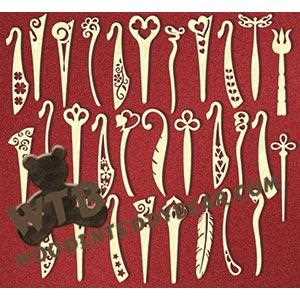
Start by assessing your skill level. For beginners, it’s best to choose simple and bold designs with few intricate details. Basic shapes like stars, hearts, or geometric figures will help you become familiar with the cutting process and allow you to develop your technique.
If you’re more experienced, look for templates that challenge your precision. Designs with delicate lines, intricate curves, and overlapping shapes will allow you to refine your control and take your work to the next level. These templates often require a steadier hand and more careful attention to detail.
Next, consider the material you will be using. Thicker woods require sturdier and less complex designs, as they can be more challenging to cut through. On the other hand, thinner materials like plywood can handle more detailed and intricate shapes without compromising the quality of the cut.
Look for templates that fit the size of the material you have. If the design is too large for your workspace or material, you may need to scale it down. Many resources offer templates in various sizes, and some even provide adjustable options to fit your specific needs.
- For large projects, print your design in multiple sections and assemble them on the material.
- For small-scale projects, choose designs that fit comfortably within the size limits of your wood and cutting tool.
The quality of the template is also a key factor. Choose designs that have clear, crisp lines with high resolution. Templates that are blurry or pixelated can result in inaccurate cuts and a poorly finished product. It’s always better to go for high-quality, well-designed images, especially when working on detailed pieces.
Test the design on scrap material before using it on your final project. This allows you to ensure the template will transfer correctly to your chosen material and make any necessary adjustments. It’s a great way to avoid wasting precious wood and time.
Finally, keep your goals in mind. Whether you’re looking to make a functional piece or a decorative item, make sure the template aligns with your project’s purpose. Simple, bold shapes are great for functional items like shelves or boxes, while intricate designs are perfect for decorative pieces like wall art or ornaments.